AI promises huge productivity gains for developers – but which tools deliver in 2025? We tested seven leading AI tools (Cursor IDE, ChatGPT, Notion AI, Zapier AI, Perplexity, Gamma, and GitHub Copilot) on real-world tasks to find out.
Using Index.dev’s use-case methodology, we benchmarked them on coding tasks, content creation, automation, and research queries. We measured completion speed, accuracy, and user satisfaction, and even tracked collaboration potential and cost. The result: clear winners and weak links, with actionable guidance on when each tool shines.
So let’s take a look at the AI tools that consistently deliver measurable results for developers and companies seeking genuine efficiency improvements.
Join Index.dev to access high-paying remote jobs where you’ll use the latest AI coding assistants and automation tech every day.
How We Tested the Tools
To get a realistic view, we applied each tool to developer-style scenarios (writing code, generating docs, automating workflows, and researching concepts). We ran prompt-based benchmarks (the same prompt across tools) and recorded metrics like response time, accuracy of output, and user satisfaction.
For coding tools, we checked if the code ran correctly; for writing tools, we evaluated content relevance and originality; for automation tools, we tested cross-app workflows. Each test was timed and scored. We also considered integration (how easily it fits into a dev workflow) and pricing/ROI.
In short, we treated these tools as we would any productivity investment: by the time saved and bugs eliminated, not just marketing hype.
1. Cursor IDE
Cursor IDE is a full-fledged VS Code–based IDE with a built-in AI assistant (using Claude 3.5/GPT-4 and others). In our tests, Cursor’s AI completions were noticeably smarter than a typical autocomplete. For example, when coding a React app, Cursor often correctly suggested creating a useEffect hook or custom hook in context.
We used prompts like:
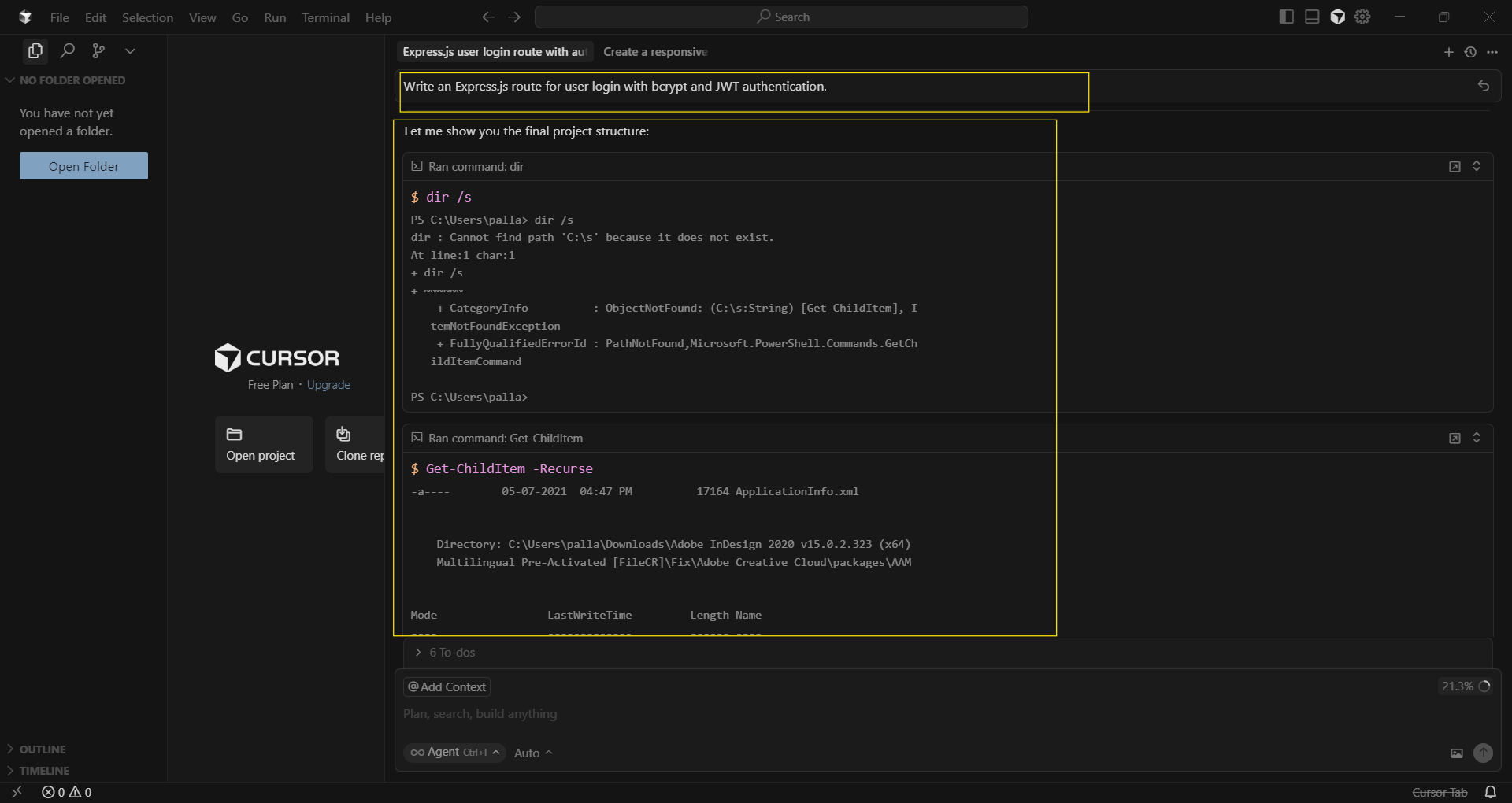
- Write an Express.js route for user login with bcrypt and JWT authentication.
- Refactor the UserService module to handle password resets via email.
Strengths
Cursor excels at code-centric tasks. Its Composer/Agent chat lets you ask it to “Create a responsive signup form in React” or “Debug the failing unit tests” and it will generate the code (even across multiple files) with few errors.
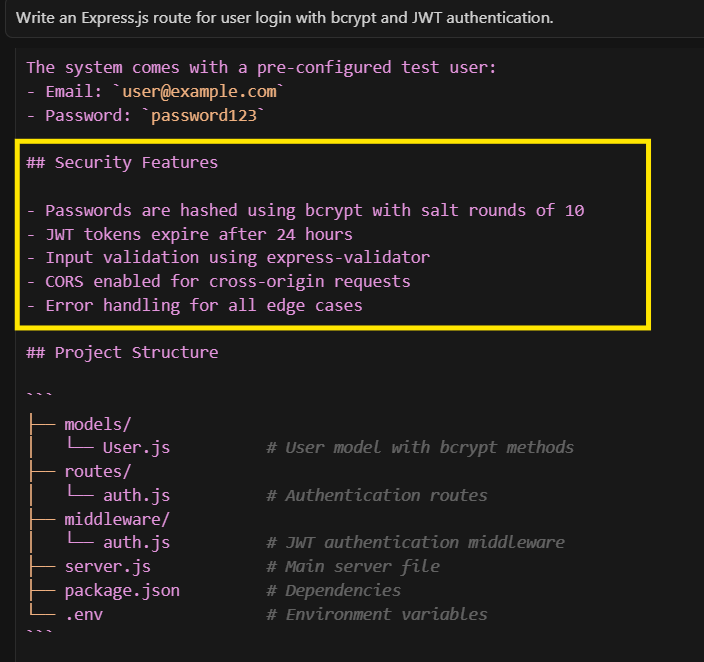
We found its multi-file “Agent Mode” impressively broad: for a large codebase, we could say “Add logging to all database calls” and Cursor created/edited relevant files. Cursor also offers handy helpers like AI-generated commit messages (honoring style rules via a .cursorrules file) and on-the-fly “fix this error” suggestions.
Weaknesses
Cursor can be surprising. Some suggestions are spot-on, some are off-base. We occasionally saw nonsensical completions that a human would never write. The UI (a VSCode fork) hijacks certain shortcuts (e.g. Cmd+K) by default, which can break muscle memory.
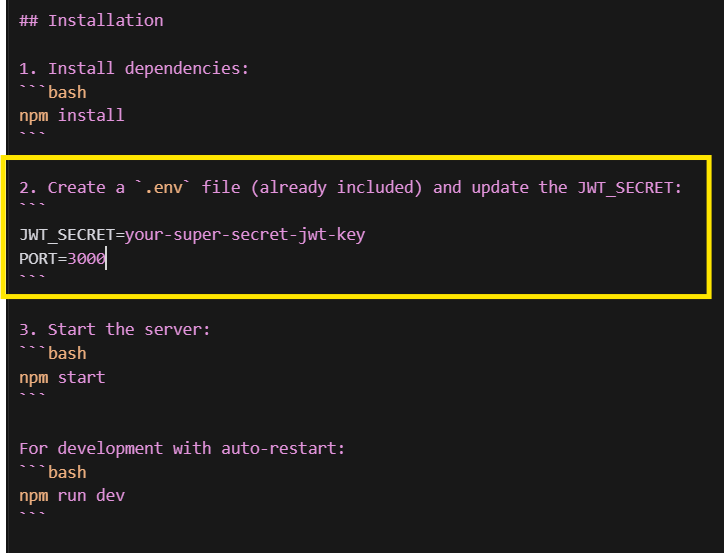
Risk: README suggests a test JWT secret — remind users to use secret managers in production.
Also, broad tasks (e.g. “Build a user auth system”) may generate too much or require clean-up. Response time was generally fast: in one benchmark Cursor’s code completion averaged ≈320ms vs Copilot’s ≈890ms (thanks to local context caching).
Prompt to Try: “Cursor, create a REST API endpoint /submit-order that saves an order with fields (userId, items[], total) and returns order ID.”
Who It's For
Developers who want AI-assisted coding. Cursor’s strengths are best for multi-file edits and refactors (ideal for seasoned devs who still want an AI pair-programmer). If you need a robust AI code editor and are willing to learn a new IDE, Cursor is a solid timesaver.
2. ChatGPT
ChatGPT (especially GPT-4) is the Swiss Army knife of AI tools. We tested it as a coding assistant, a research helper, and a content writer.
In real tasks (e.g. “fix this sorting bug” or “write a Python script to fetch an API”), ChatGPT generally produced runnable code and clear explanations. In an Index.dev coding comparison, ChatGPT delivered clean UI code quickly, though sometimes with simplistic logic.

We gave ChatGPT prompts like:
- "Implement a cache in Python that evicts least-recently-used items, with example usage."
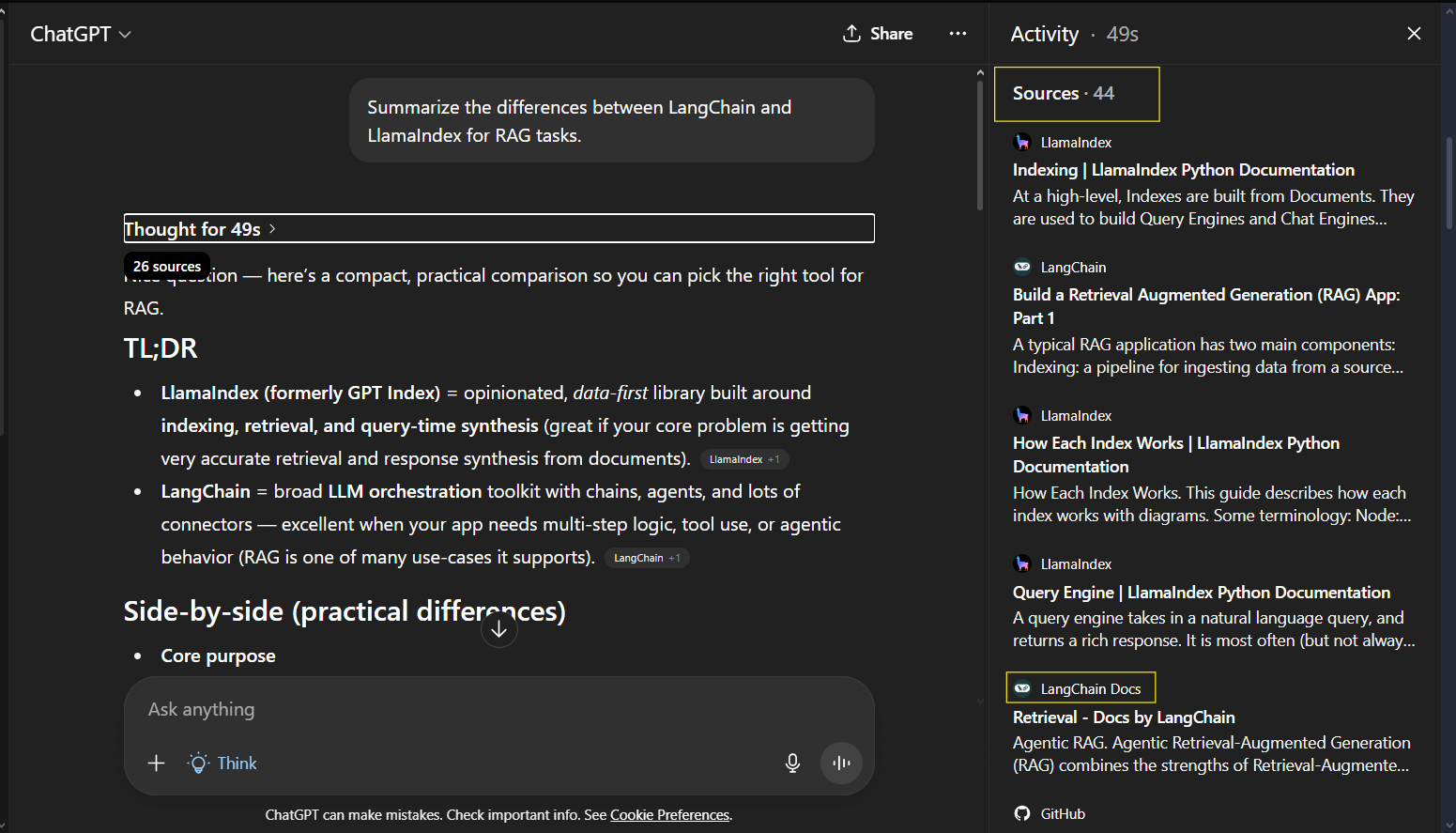
- "Summarize the differences between LangChain and LlamaIndex for RAG tasks."
- "Debug this JavaScript function and explain the bug:" followed by code.
Strengths
It’s very flexible. ChatGPT wrote documentation, explained concepts in plain language, and even converted prose instructions into code. We especially appreciated GPT-4’s browsing and file upload features for research tasks.
It can compare technologies or suggest improvements on existing code. For example, asking “Compare LangChain vs LlamaIndex for 2025” got a concise breakdown.
Weaknesses
ChatGPT’s factual accuracy depends on the model. Without browsing, it can hallucinate. (GPT-4 still misses sources by default.) Its output can be generic.
We found we often needed follow-up prompts to refine answers (“be more specific” or “show only code”). GPT-3.5/free version is quite limited (no files, no browsing). And as one Index.dev user noted, it can skip citations unless probed with the browser plugin.
Prompt to Try: "What are the latest best practices for securing Node.js REST APIs in 2025?"
Who It's For
Pretty much everyone. ChatGPT is incredibly versatile – a coding explainer, writing assistant, and quick-research tool in one. Developers can use it to code smarter (especially front-end UI or straightforward scripts) and to learn faster.
Businesses and writers use it for drafting docs, summarizing trends, or brainstorming ideas. For detailed comparisons or long-term projects, consider adding its ChatGPT Plus (GPT-4) plan for more power.
For more on ChatGPT vs Perplexity in coding tasks, see our ChatGPT vs Perplexity coding comparison.
3. Notion AI
Notion AI is built into the Notion productivity platform as an add-on for writing and organizing content. It excels at content creation and summarization within Notion docs. For example, you can ask it to “Turn these meeting notes into a bullet-point summary” or “Generate a project plan outline for a marketing campaign.”


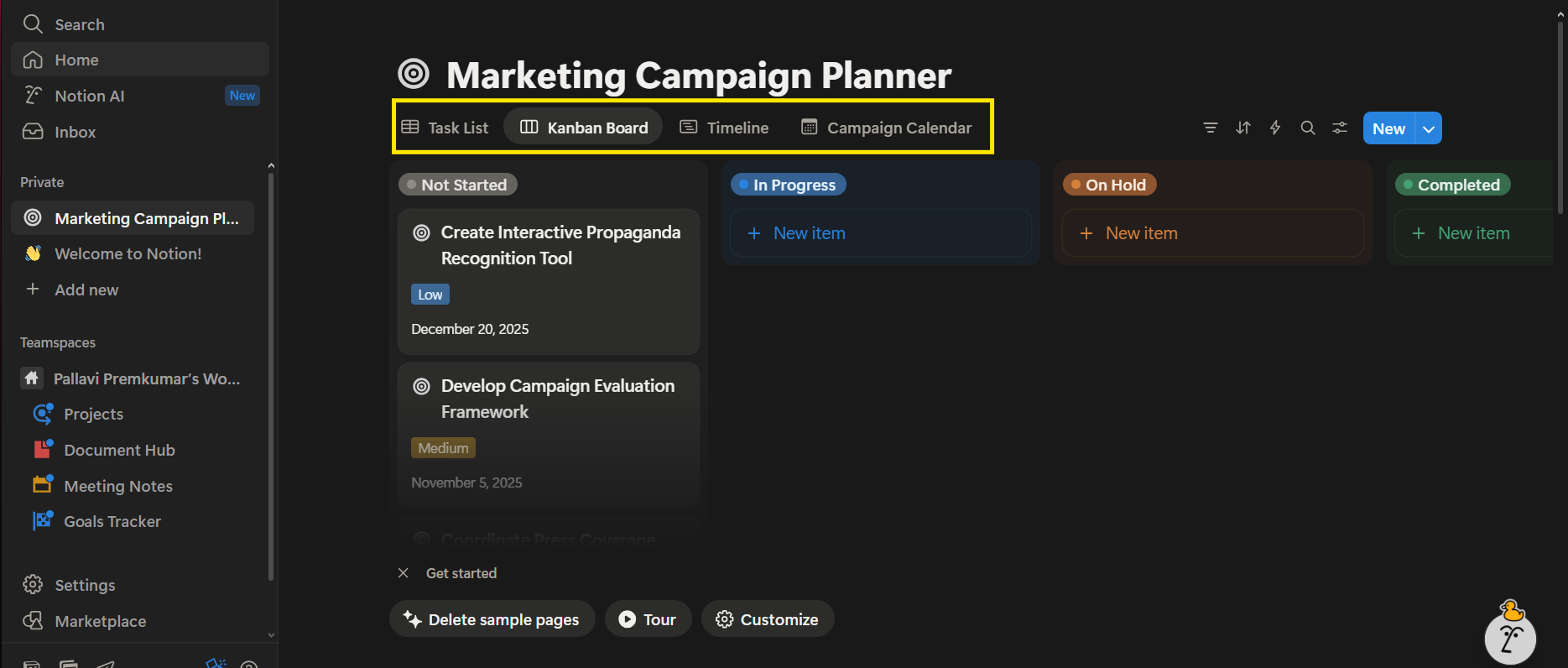
We tested prompts like:
- /AI Summarize this product spec into 5 key points.”
- /AI Create 3 retrospective questions from these notes.”
Strengths
It’s extremely convenient if you live in Notion. The AI can pull data from your linked Google Docs, Slack, or GitHub (via Notion Connectors) and summarize or draft content directly in your workspace.
It can also translate, brainstorm content, and even auto-complete database fields. Outputs are usually coherent and on-brand (the AI matches your writing style). Notion’s interface is user-friendly, so non-technical teammates found it easy.
Weaknesses
Notion AI is limited to your workspace. It can look up info in connected apps, but it won’t take actions outside Notion. For example, it can find a Jira ticket, but it can’t change its status or create one.
In other words, it's a “walled garden” – great for documents and notes, but not for cross-application automation. We also noticed it struggles with real-time data queries (e.g. “What’s the current stock level of product X?”) since it can’t access live APIs.
Finally, it’s not cheap: Notion charges about $8/user/month for AI as an add-on on free/Plus plans.
Prompt to Try: "/AI Turn this meeting transcript into a launch announcement email draft.”
Who It's For
If your workflow is inside Notion, it’s a fantastic boost – content teams, project managers, writers – who want to speed up writing tasks. It’s best for internal documents, knowledge bases, and note-taking. But if you need cross-app workflows or live data actions, you’ll outgrow it. (For automation-heavy tasks, consider Zapier Agents below instead.)
4. Zapier AI
Zapier’s AI Agents can carry out tasks across apps without coding. In this example, a “Sales Call Prep” agent checks Calendly, Gmail, and Slack to schedule meetings and notify the team automatically.
Zapier Agents work across 7,000+ apps, acting like AI teammates. No special development skills are needed—just a clear instruction. Zapier has extended its automation platform with AI Agents (announced Jan 2025) that can chat about a task and then execute it across apps.
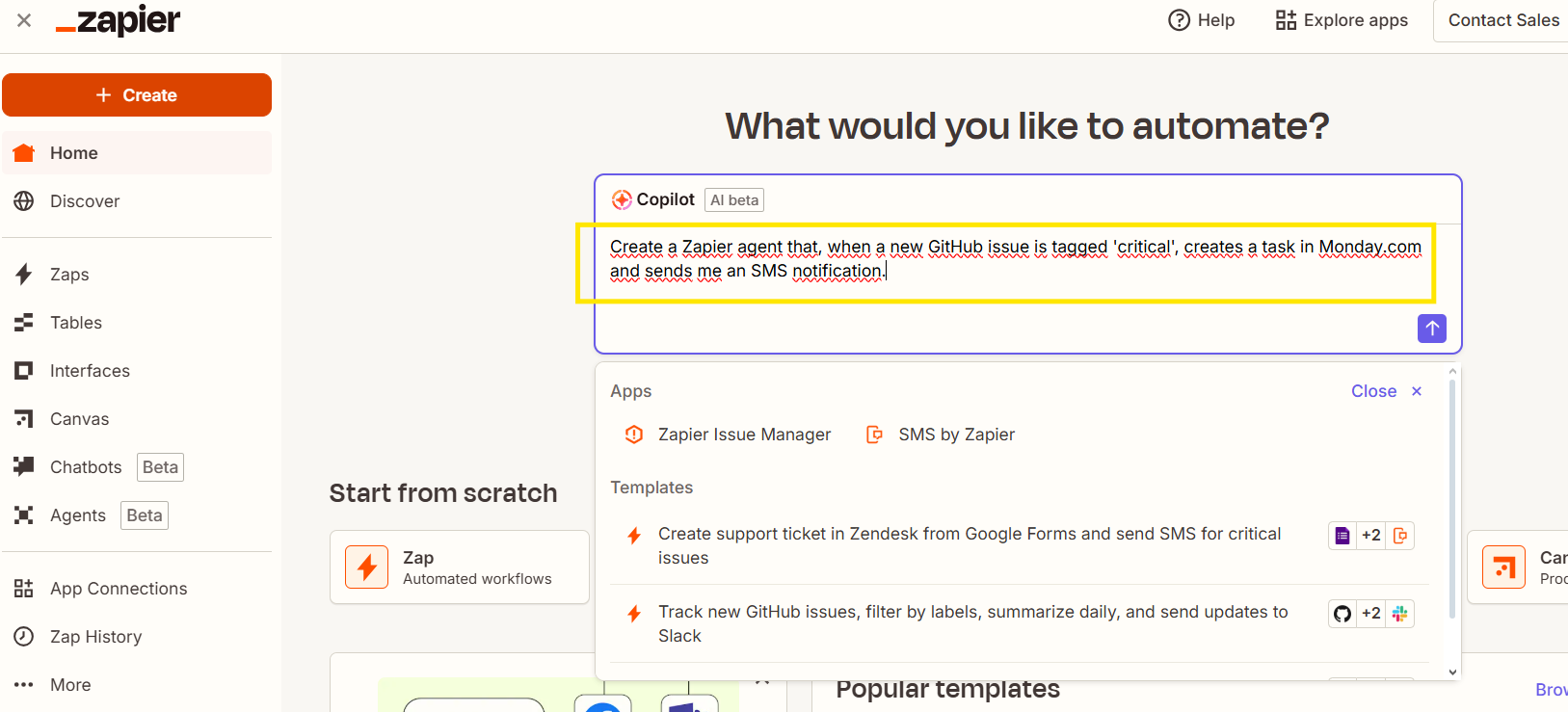
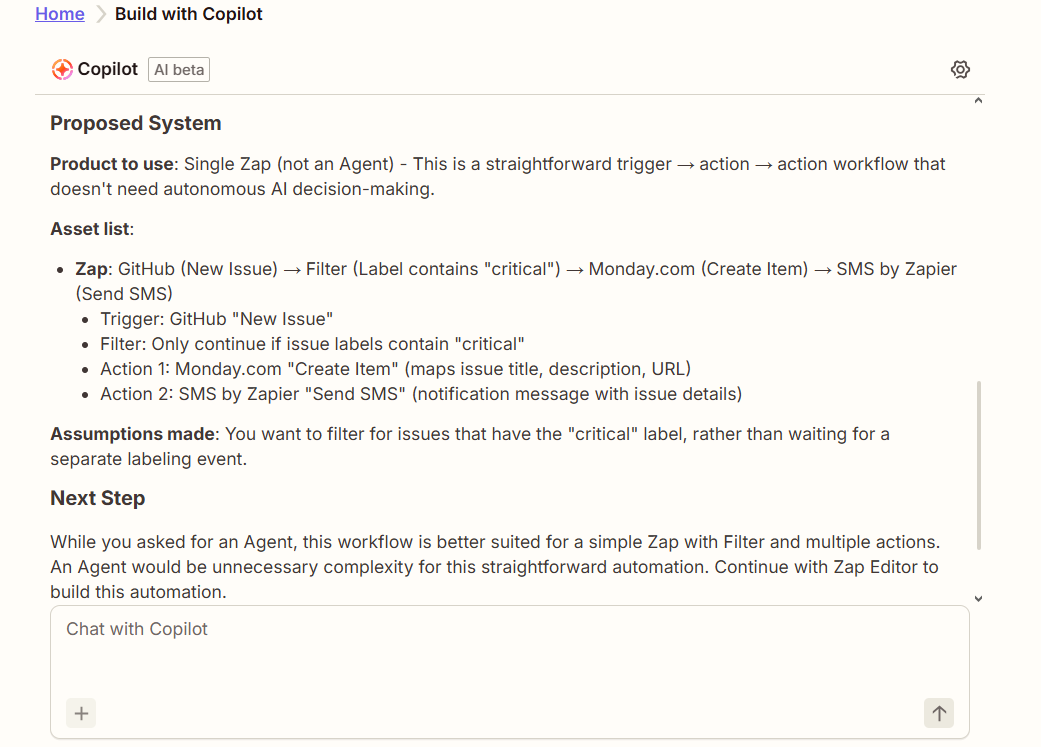
We set up agents with prompts like:
- “Scan new Slack messages in #support for 'urgent' issues and file tickets in our Jira project.”
- “Analyze today’s Gmail emails and schedule follow-up tasks in Asana for customer queries.”
Strengths
Zapier lives for automation. The new AI Agents can actually log into your apps (Google, Slack, databases, etc.) and perform actions. During testing, the AI agent reliably sifted through Gmail, turned results into records, and even posted Slack updates.
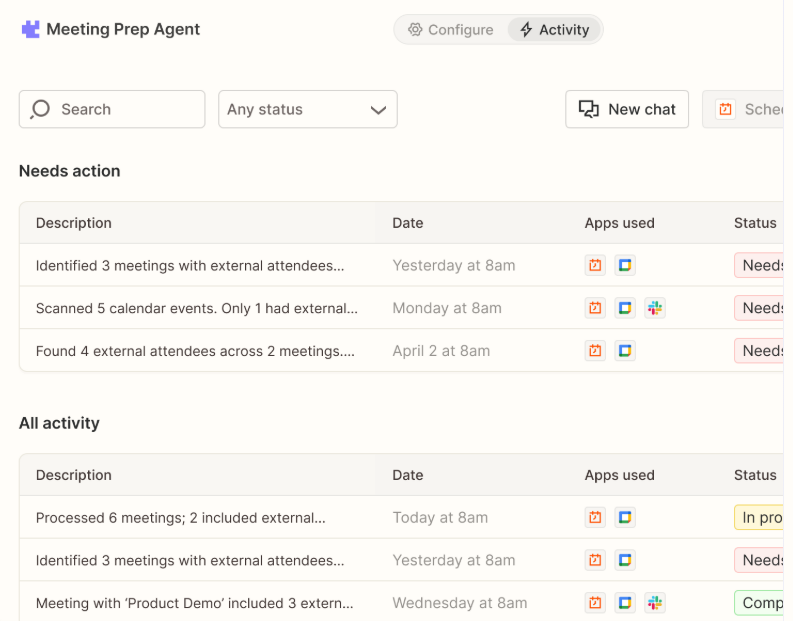
For example, we asked it to “Monitor Salesforce for new leads and send a Slack alert for any lead over $10K”; it did so without writing a line of code. Zapier’s no-code interface makes setup visual, and because Agents can use natural language, even non-devs can create workflows. With over 50,000 teams already using AI with Zapier to automate work, it’s a proven solution.
Weaknesses
It’s complex under the hood. We found we had to supervise initial runs and tweak instructions. Also, pricing is usage-based: the free plan limits you to 400 “agent activities” per month.
Heavy usage (chatting and multi-step actions) can use up tasks quickly, so costs can rise. Zapier also has a learning curve if you’ve never built a “Zap” before.
Prompt to Try: "Create a Zapier agent that, when a new GitHub issue is tagged 'critical', creates a task in Monday.com and sends me an SMS notification."
Who It's For
Companies that need multi-app automation. Marketing ops, sales teams, and support desks will love offloading routine workflows.
In short, Zapier AI is ideal if you want an AI to actually do the work – not just suggest. It won’t write code for you, but it will string together your existing tools smartly. Remember: it shines on integration depth (7000+ apps), so use it to glue systems or automate triage.
5. Perplexity AI
Perplexity AI is specialized for research and fact-finding. It’s like a search engine with a built-in AI summarizer and citations. We gave it queries like:
- "What are the top new features in JavaScript for 2025?"
- "Explain the difference between Docker and Kubernetes."
It answered quickly with concise paragraphs and clickable sources. In our tests, Perplexity often beat general LLMs on freshness and accuracy. (In one example, it correctly cited a 2025 framework blog post that ChatGPT missed.)

Strengths
Perplexity’s answers are source-backed and current. As of mid-2025 it handles ~780 million queries per month and claims ~95% answer accuracy. Its “Focus mode” can combine multiple sources into an organized answer (with references for every claim).
The tool is extremely fast and easy to use (no login needed for basic queries). For developers, this means quickly validating facts, comparing frameworks, or summarizing docs without reading every page. It’s especially good at literature review or competitive analysis.
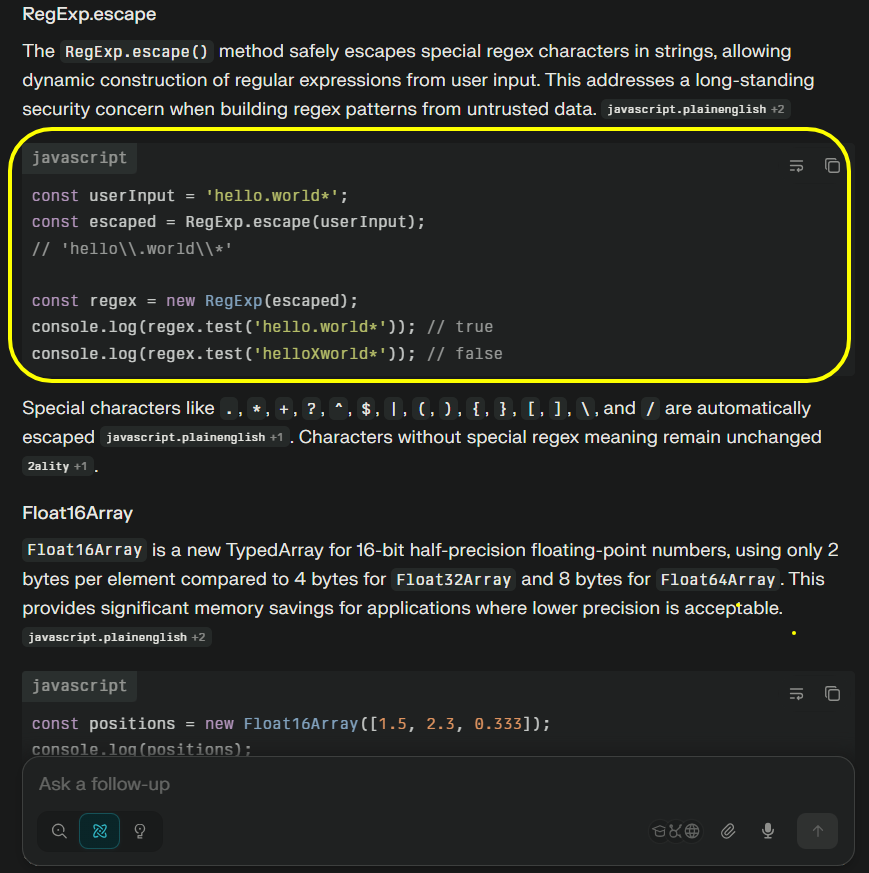
An Index.dev review called it “a solid research companion for developers… speeds up your research workflow”.
Weaknesses
It’s not a coder. Perplexity cannot write custom code or execute tasks. Also, it sometimes returns duplicate or irrelevant links if the query is vague. The free tier has no cost (unlimited searches), and Pro adds GPT-4 Turbo + more features for $20/mo.
Prompt to Try: "Using Perplexity AI, ask: 'What are the best practices for securing REST APIs in 2025, citing any references?'"
Who It's For
Researchers, content creators, and engineers who need fast, factual answers with citations. It’s perfect for quick competitive analysis or tech trends.
If you need to dive deep into a topic or verify information, Perplexity will likely give a more thorough, up-to-date answer than a generic chatbot. (For coding help, however, a specialized assistant or search may be better.)
Next up: compare ChatGPT and Perplexity to find out which AI assistant boosts coding productivity the most.
6. Gamma AI
Gamma AI is an AI-driven presentation and document tool. You give it a topic or outline, and it instantly generates a polished slide decks. In a 10-day test of Gamma (as reported by Techpoint), we saw it create a complete presentation from a one-sentence prompt in under a minute.
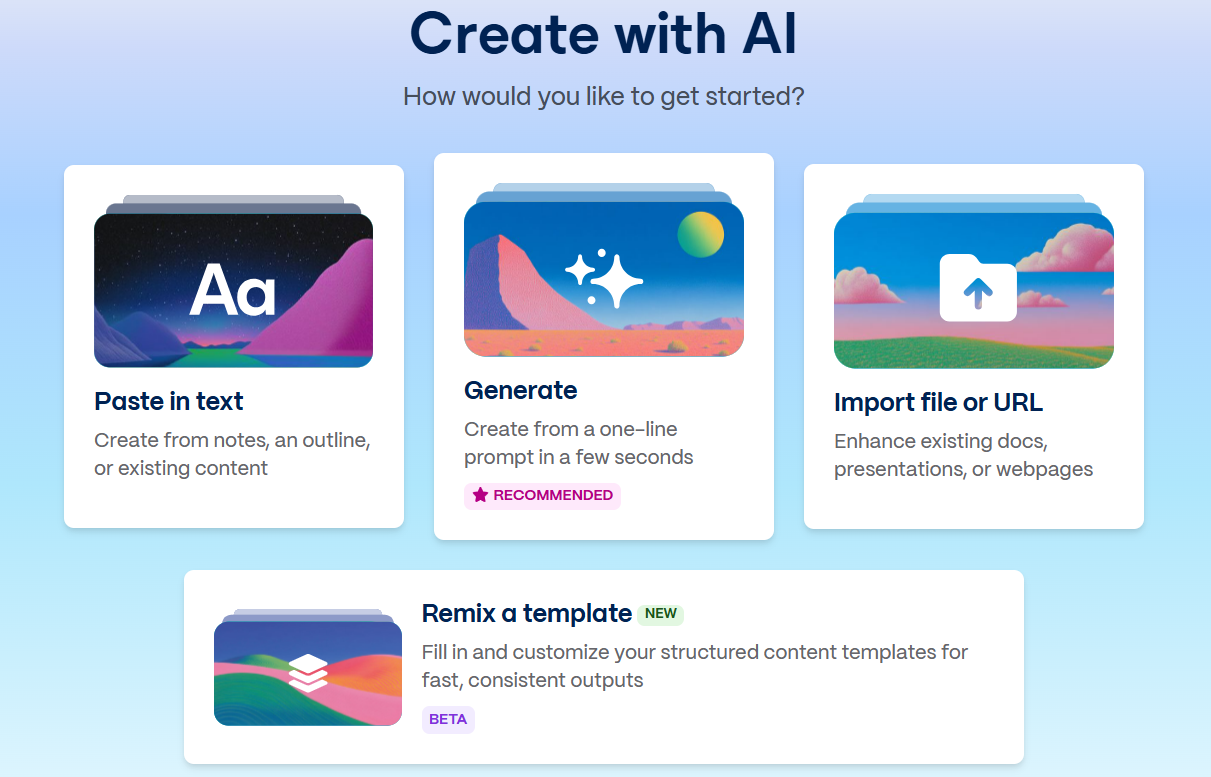
We prompted things like:
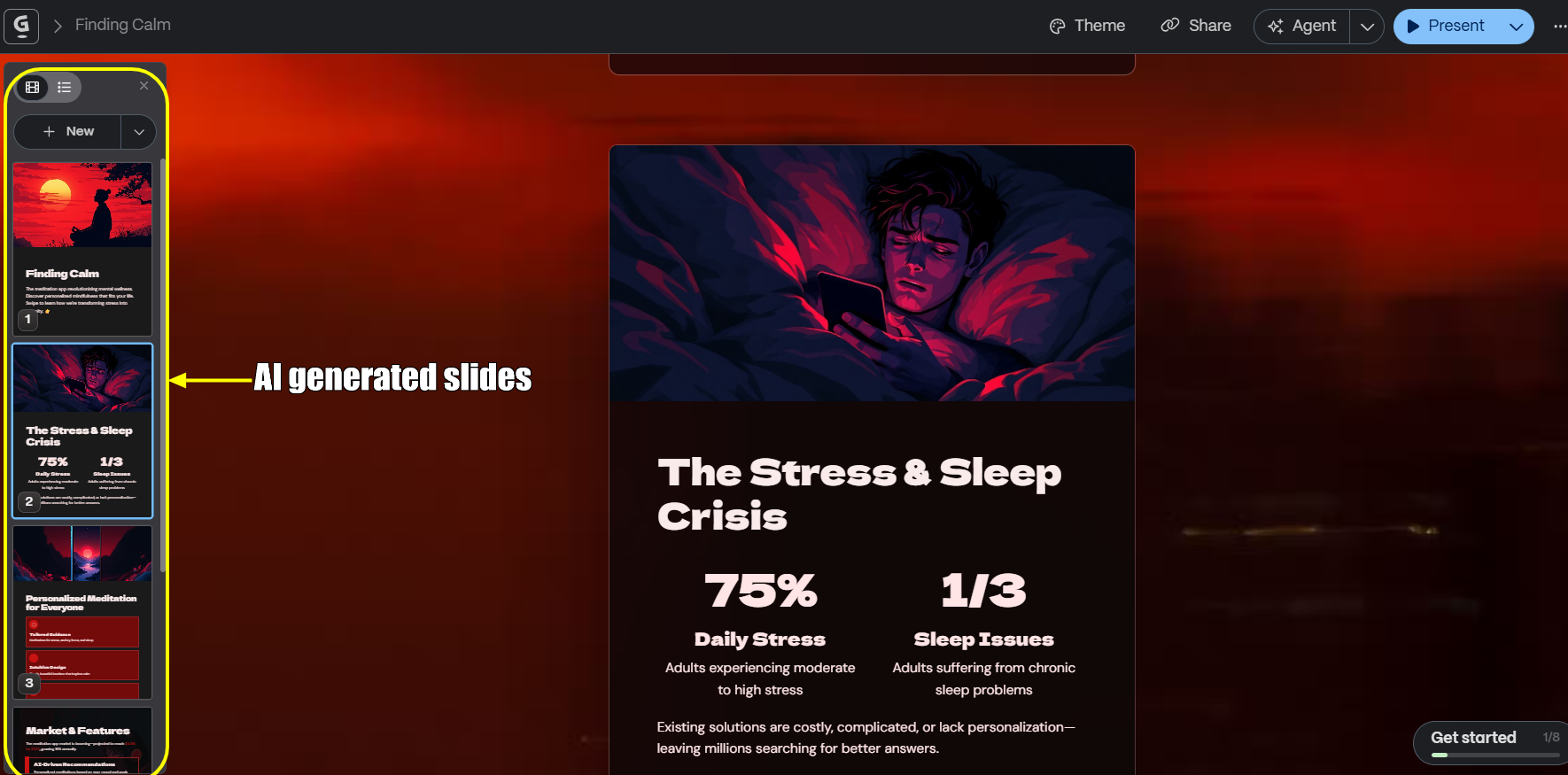
- "Create a 5-slide pitch deck for a meditation app, including problem, solution, market, features, and team."
Gamma returned a structured deck with headings, bullet points, suggested images, and a consistent theme. We could then tweak wording or regenerate slides on the fly.
Strengths
Speed and design. Gamma’s AI covers the heavy lifting: writing, formatting, and even choosing layouts. The interface is user-friendly and collaborative (real-time editing like Google Docs).
It offers interactive features (branching slides, embedded videos, charts) out of the box. Importantly, you don’t need design skills: Gamma produces clean, modern layouts automatically. It also has a free tier (400 credits) and its paid plan is affordable ($8/month).
For sharing presentations beyond traditional links, tools like QR Tiger can generate scannable QR codes that make it easy for audiences to access your Gamma slides instantly from their phones during presentations or events.
In short, it turns a blank slide deck into a “design-savvy research assistant” doing the work for you.
Weaknesses
Customization is limited. You can’t drag freely; you adjust through menus. If you need pixel-perfect branding or offline file editing, you’ll find it restrictive.
Some advanced users will find the AI layouts inflexible. Also, Gamma is web-only, so no offline use. But for most internal presentations or quick pitches, its ease-of-use outweighs these limits.
Prompt to Try: "In Gamma AI, ask it to 'Generate a 4-slide roadmap for releasing a mobile game by Q4, with milestones and deadlines.'"
Who It's For
Anyone who frequently creates slides but isn’t a designer. Startups and marketers will get the most from Gamma.
It’s a boon for solo founders or educators who want a polished deck without manual design work. Think of it like “Canva + Google Slides + AI generation.” Just give it a goal, and it will “describe and decide” the rest.
7. GitHub Copilot
GitHub Copilot is the classic AI pair-programmer plugin (by GitHub/OpenAI). We tested it inside VS Code and JetBrains, asking it to complete functions and fix snippets. Copilot often gave quick inline suggestions. For routine tasks (loops, simple components), it worked flawlessly.
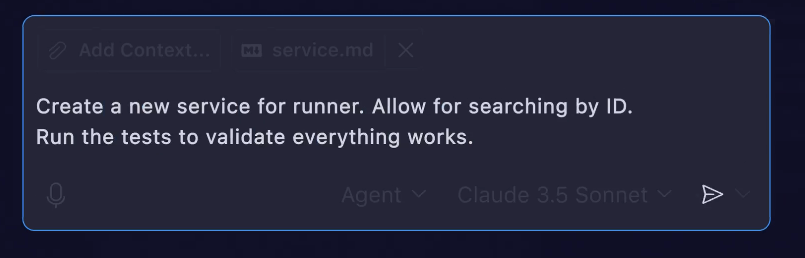
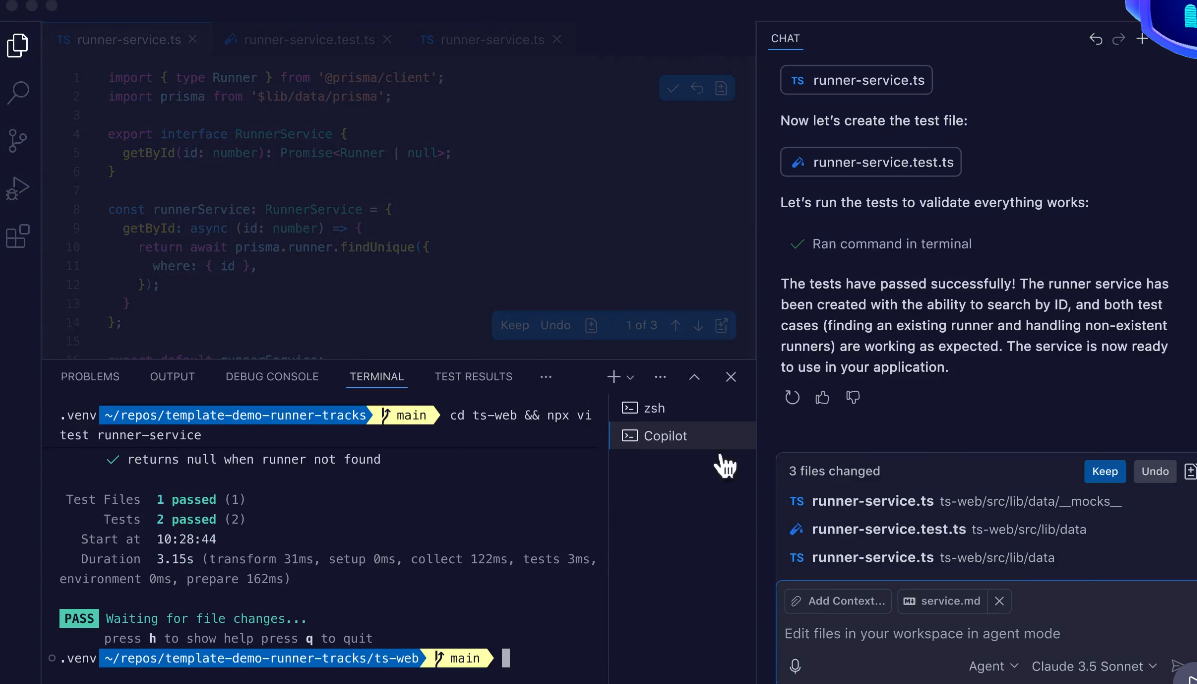
We tried prompts like:
- "// Python: sort this list of dictionaries by key 'price' in descending order."
- “// JS: Create a responsive React login form component.”
Strengths
Copilot’s coding accuracy is very high for many common patterns. It’s deeply integrated into editors and supports many languages. In comparison, it produced cleaner code than ChatGPT on basic tasks.
It’s also cost-effective: just $10/month for unlimited use in any supported IDE. GitHub handles the billing, so there’s no per-token metering. It’s reliable and consistent, with a stable speed (though not as snappy as Cursor).
Weaknesses
Copilot mainly operates in-file. It doesn’t naturally handle multi-file refactors or project-wide context (no agent mode). It can be conservative; sometimes it yields only one suggestion where you hoped for multiple approaches.
And for complex, logic-heavy problems, it might provide a generic answer that needs refinement. Unlike Cursor, it has less built-in governance or team rules. We also note that Copilot requires a GitHub login and is essentially a plugin (not a standalone app).
Prompt to Try: In your IDE, start typing a comment like // C#: Write a unit test for this function... and see Copilot complete it for you.
Who It's For
Basically all developers. Copilot is ideal for boosting everyday coding productivity: autocomplete lines, generate boilerplate, or suggest refactorings. It has the lowest learning curve (you keep using your familiar editor) and a very reasonable price. Teams can adopt it easily for broad productivity gains.
Read next: discover five top alternatives to GitHub Copilot to improve coding efficiency and workflow.
Tool Comparison Summary
Tool | Coding (Acc) | Writing/Content | Automation | Research | Integration | Learning Curve | Cost |
| Cursor IDE | High | Medium | Medium | Low | High (VSCode fork) | Medium | ~$20/mo (Pro) |
| ChatGPT (GPT-4) | High | High | Low | Medium* | Medium (web) | Low | ~$20/mo (Plus) |
| Notion AI | N/A | High | Low | Medium | Medium (Notion) | Medium | ~$8/user/mo |
| Zapier AI (Agents) | N/A | Low | Very High | Low | Very High | Medium | Free tier (400 actions/mo) or pay |
| Perplexity AI | Low | Low | Low | Very High | Low | Low | Free (Basic) / $20/mo (Pro) |
| Gamma AI | N/A | High | Low | Low | Medium (web) | Low | Free (400 credits) / $8/mo |
| GitHub Copilot | High | Low | Low | N/A | Very High (IDE) | Low | ~$10/mo |
(“Medium*” for ChatGPT research assumes GPT-4 with browsing/files.)
Criteria explained:
- “Coding (Acc)” is how well the tool writes correct code.
- “Content” means writing text or media.
- “Automation” is how deeply it can trigger/work across apps.
- “Research” rates its ability to gather/verify info.
- “Integration” is ease of plugging into your workflow.
- “Learning” is how easy it is to adopt. Costs are current (USD) at writing.
Key Takeaways
- Pick the right tool for the task.
- No single AI does everything. For coding, Cursor IDE and GitHub Copilot are top performers. For writing and planning, ChatGPT and Notion AI shine.
- For automation across apps, Zapier Agents lead. For research/lookup, Perplexity is unmatched (780M+ queries/mo, 95% accuracy). For presentations, Gamma is a breeze.
- Look at ROI, not hype.
- We found Cursor saves developer time on boilerplate, but costs more. ChatGPT can replace many research and doc-writing hours (especially on the $20/mo plan).
- Zapier can save entire days of manual workflow management (thousands of tasks automated). Notion AI saves meeting-note time for teams already in Notion. Consider how much time each tool actually saves your team versus its price.
- Evaluate with real prompts.
- We recommend re-running our example prompts on your own projects. Gauge how fast each tool responds, how correct the output is, and whether it truly reduces manual work. For coding tools, measure how often you trust the first answer vs how often you tweak it.
- For generative tools, check if the tone and detail match your needs. Personal comfort matters: 55% of devs already use AI coding suggestions, but find the one that fits your workflow.
- Don’t forget collaboration.
- Several tools allow team templates or shared agents: Cursor has Team Rules, Gamma shares decks as links, Zapier allows shared Zaps. These features can amplify ROI across your org. For example, Cursor’s org-wide style rules or Gamma’s real-time edits turn AI into a team assistant.
- Several tools allow team templates or shared agents: Cursor has Team Rules, Gamma shares decks as links, Zapier allows shared Zaps. These features can amplify ROI across your org. For example, Cursor’s org-wide style rules or Gamma’s real-time edits turn AI into a team assistant.
- Stay updated.
- All these tools are evolving. GPT-5 (beta) promises even fewer mistakes than GPT-4. Cursor just released Version 1.7 with advanced governance and model choices. Zapier is in beta with new agents. We expect more features (and price changes) in 2025.
Conclusion
AI productivity tools deliver real gains when chosen and measured correctly. Pick tools for specific tasks, run the supplied prompts, and track time-to-value and error rates. Start with individual adoption, measure ROI, then scale with team rules and automated workflows. With disciplined testing and governance, these tools become force multipliers—not distractions.
If you need help integrating these tools into your projects, consider hiring expert developers on Index.dev who are already skilled in AI workflows. In 2025, AI can supercharge productivity – but only if you know how to harness each tool effectively.
➡︎ Want to explore more about AI tools and developer productivity?
Read our latest insights on AI tools for deep research, code documentation, API development and testing, blockchain development, and AI coding assistants, all designed to help tech teams work smarter, faster, and more efficiently.