Looking to supercharge your coding workflow? We’ve handpicked 5 of the best custom GPTs built to help developers and product builders code faster, smarter, and better.
From generating Python code and converting screenshots to HTML, to debugging and documenting code automatically—these tools can save hours of manual work.
Featured models in this article include Python GPT, Code Copilot, Screenshot to CodeGPT, Grimoire, and more.
Whether you're building apps or writing scripts, these GPTs will transform how you develop.
Build with the smartest AI tools. Work on global projects. Join Index.dev to get matched with top companies and earn more—remotely, your way.
Evaluation Criteria: How We Selected These Models
We tested several custom GPTs hands-on—writing Python scripts, converting UI mockups, explaining code, and fixing bugs.
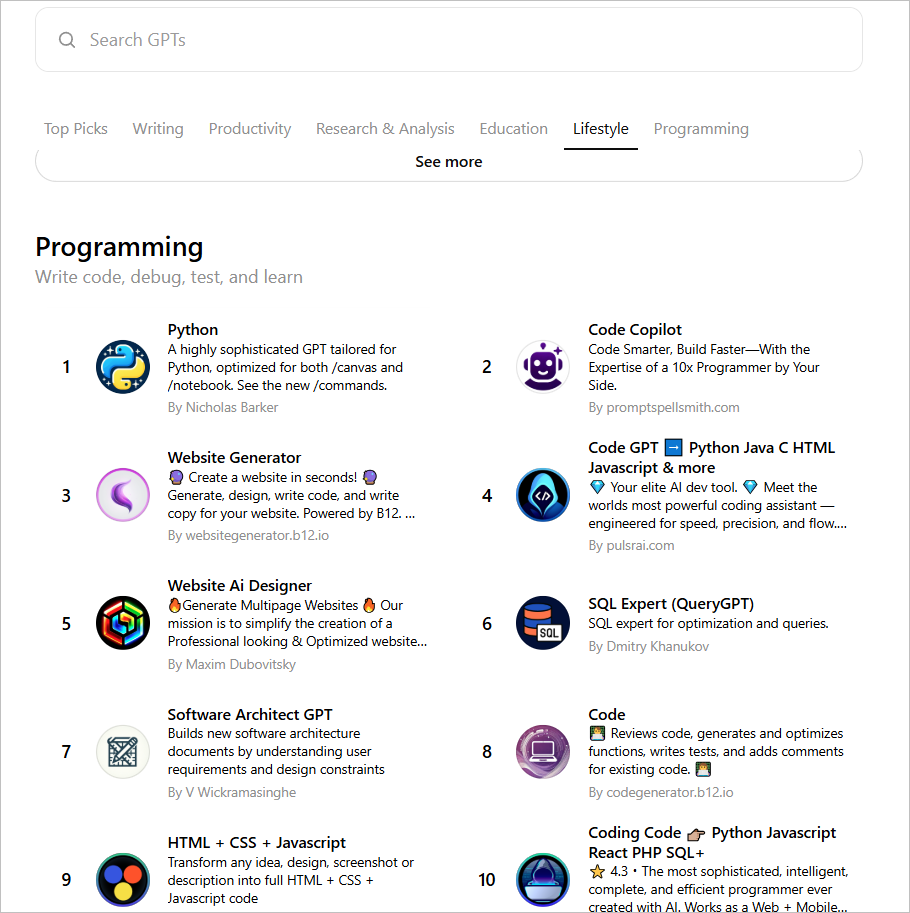
Our goal was to find models that genuinely improve developer productivity. We evaluated them on:
- Code accuracy in generation and debugging
- Clarity in code explanations and logic breakdown
- Language and framework support beyond just Python
- Speed, Usability, Access and affordability
Based on these factors, we’ve shortlisted five standout models, each with unique strengths, but the best one for you will depend on your workflow and goals. We prioritized models that not only perform well but also offer real-time usability for developers.
When analyzing AI tools that assist developers, note that besides specialized models (such as Python GPT and Code Copilot), there are also universal AI assistants like the coding AI helper that help to learn coding. It analyzes code snippets, explains behavior, and offesr context-oriented solutions.
Now let’s look at what makes the tools useful for developers.
Also Check Out: Top 5 Open-Source LLMs for Coding | Ranked by Actual Developer Testing
The 5 Best GPT Models for Developers
1. Python GPT
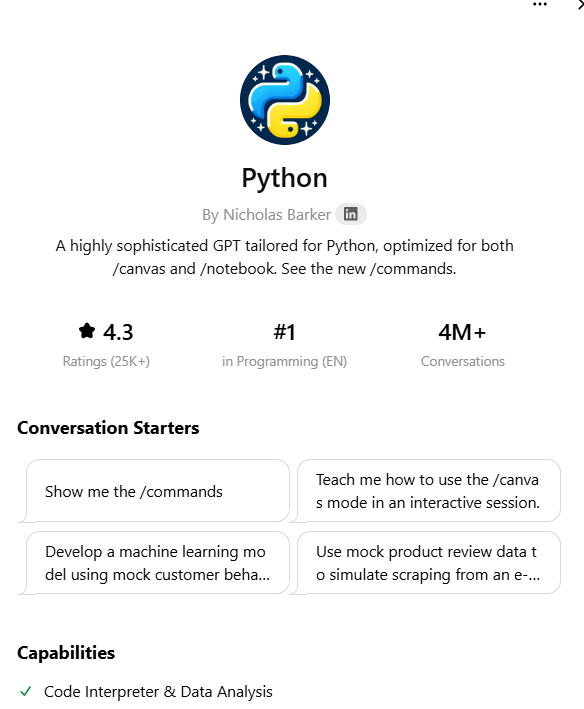
Core Capabilities of Python
The Python custom GPT is built to assist developers with every stage of the coding process. Here's what it can do:
- Python Code Writing: It generates clean, efficient, and scalable Python code using both standard and advanced language features.
- Debugging: It identifies bugs, explains the root cause, and suggests improvements for cleaner logic.
- Code Review: It performs detailed code reviews, checking for PEP8 compliance, code complexity, modularity, and architecture.
- Optimization: It can refactor or rewrite code to improve performance and memory efficiency.
- Documentation: It adds clear comments and structured docstrings to make your code easier to understand.
- Unit Testing: It writes and executes unit tests using frameworks like unittest, pytest, and mock, all within an offline environment.
This GPT handles more than just core coding. It supports data analysis (Pandas, NumPy, Matplotlib), web development (Flask, FastAPI, Django), and AI/ML tasks (TensorFlow, PyTorch, scikit-learn). It’s also great for automation, CLI tools, and mocking APIs—even without internet access.
Python GPT has some special commands such as:
Command | What it does |
| /tests | Create unit tests (Pytest, Unittest, or custom). Clarify if you want me to run tests in my notebook. |
| /explain | Give a detailed explanation of any part of the code. |
| /fix | Diagnose and propose a fix for problems in code. |
| /doc | Add clear comments or docstrings to your code. |
| /upload | Package code into files you can download. |
| /help | Show you these features again or guide you step-by-step. |
| /optimize | Analyze code and improve speed/memory/scalability. |
| /canvas | Open a collaborative coding IDE style interface where you and I can edit code together. |
| /notebook | Switch back to my private Python notebook to run and debug code autonomously. |
Hands-on Test
1. We prompted the model with a piece of code and used the special command “/explain.” It provided a detailed, block-by-block explanation for each function, making the code much easier to understand.
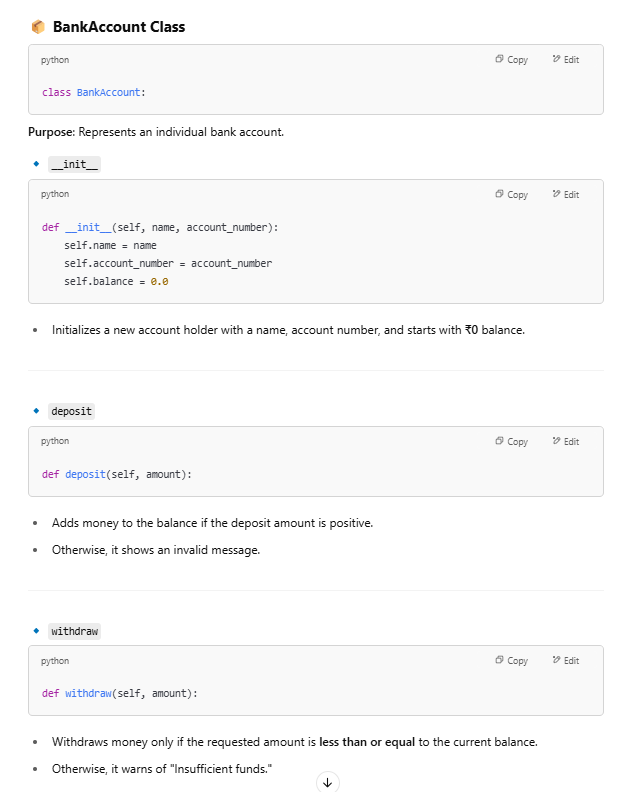

2. Then, we asked it to improve the code using the “/fix” command. Here’s how it responded:

It provided a corrected and optimized version of the code, along with a clear explanation of the changes made.

3. Next, we used the “/doc” feature to add comments and docstrings, which significantly improved the code’s readability and clarity.

4. We also explored its unit testing feature by asking it to run test cases. It quickly produced relevant tests and shared the results, demonstrating its ability to validate code functionality effectively.
2. Code Copilot

Core Capabilities of Code Copilot
- Code Creation & Refactoring: Write production-ready code and refactor outdated or messy logic into clean components.
- Debugging Help: Help you fix logic and runtime errors with step-by-step guidance and rubber duck debugging.
- Documentation & API Reading: Understand, summarize, and extract key information from API docs, code examples, and webpages.
- Code Review: Review your code for logic errors, readability, performance, and suggest modern best practices.
- Testing & Validation: Write unit tests and integration tests (using pytest, unittest, Jest, Vitest) and generate edge test cases.
- GitHub & URL Reading: Read GitHub repositories and webpages in real-time to pull fresh code examples or documentation.
Hands-on Test
1. We shared a buggy piece of code with Code Copilot and used the “/quick_fix” command to request a solution. It quickly responded with a corrected version of the code, accompanied by a clear note explaining the fixes applied.


2. For our next test, we tried Code Copilot’s “/review” feature. We submitted a maze game code that generated mazes randomly but had an issue where paths were getting blocked.

The tool quickly identified the issue and, after a second prompt, generated a fully functional game interface.


Result:

3. DesignerGPT

Core Capabilities of DesignGPT
- Custom Website Builder: Easily creates full websites like portfolios, blogs, landing pages, or product showcases from just an idea or request.
- Image Options: Offers a choice between AI-generated images (via DALL·E) or high-quality stock images (from Unsplash) for the website.
- Smart Image Workflow: Automatically generates and fetches image links, confirming them with the user before adding to the site.
- Clean & Responsive Design: Utilizes Pico CSS for minimal styling, mobile-friendly layouts, and a semantic HTML structure.
- Replit Export: Provides an option to send the website code directly to Replit for easy customization and editing.
- Instant Tweaks: Allows quick revisions to content, layout, or visuals whenever needed.
Hands-on Test
The key feature of DesignGPT is its ability to generate a website based on a simple description of your desired layout and style. By entering a straightforward command like “Design a website similar to xyz.com,” we were able to create webpages inspired by popular sites like YouTube.com and Medium.com.
Here are some of the results:
1. Youtube:

2. Medium:

We also experimented with creating images using DALL-E. The image below was generated for a website similar to Facebook:

4. Grimoire

Core Capabilities of Grimoire
- Full Code Assistance: Grimoire offers complete, professional-grade code generation with no placeholders or incomplete sections, ensuring every project is ready for deployment from the start.
- Auto Deploy: It enables instant deployment of static websites via platforms like Netlify and Replit, streamlining the publishing process with just a few taps.
- Advanced Debugging: Equipped with intelligent debugging tools, DesignGPT can explain bugs clearly, add diagnostic printouts, and conduct live code tests to speed up development and troubleshooting.
- Hotkey-Driven Actions: Productivity is supercharged through an intuitive hotkey system, allowing users to perform complex coding tasks, search solutions, and manage deployments with simple, quick commands.
- Deep Coding Expertise: DesignGPT supports full-stack development, UI/UX design, AI integration, backend systems, iOS app development, gaming projects, bots, web3 applications, and much more, covering almost every modern coding domain.
- Prompt Engineering: It crafts highly effective prompts for coding, design, and AI art generation, helping users create better inputs for better outcomes.
Grimoire also includes a full curriculum with 75+ lessons, integrated Spellbooks, Memory Palaces for concept explanations, seamless search engine access, a standalone app with live canvas features, and enhanced AI-assisted workflows — all built for smarter, faster development.
Hands-on Test
We explored this feature due to its strong expertise in gaming projects and tested it by creating a ping pong game.
The prompt we used was:
- “Create a ping pong game with a single paddle at the bottom, where the ball bounces off the other three sides. If the ball hits the ground, the game ends. The ball speed increases after two bounces from the user paddle.”
- “Include a 'Play Again' button and a scoring system to track the number of bounces.”
The tool generated a comprehensive pseudocode plan along with detailed implementation steps, showcasing its ability to handle complex game logic and development.

Result:

5. Screenshot to Code GPT
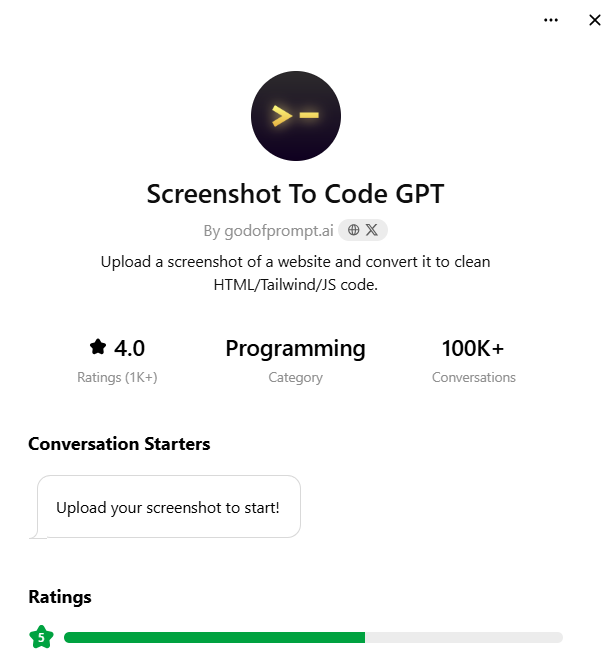
Core Capabilities of Screenshot to Code GPT
- Screenshot to Web App: Transforms web page screenshots into fully functional, production-ready web apps using Tailwind CSS, HTML, and minimal JavaScript.
- Accurate Design Matching: Recreates background colors, text styles, layouts, margins, and padding exactly as seen in the screenshot.
- Tailwind CSS and Google Fonts Integration: Automatically sets up Tailwind CSS and applies Google Fonts when needed for authentic design reproduction.
- Full, Clean HTML Code: Generates complete HTML without shortcuts — fully expanded and ready to use immediately.
- Smart Image Handling: Uses placeholder images with detailed alt text to maintain design flow and accessibility.
- Fast Update Support: Quickly updates code when a new or revised screenshot is provided, ensuring rapid iteration.
Hands-on Test
We uploaded the following webpage screenshot to this GPT.

Based on its main features, the tool can generate similar code directly from the screenshot. It provided a complete set of code, which can be customized to suit your specific needs.

Result:

Which Model Should You Use For What?
If you want to | Best Model to Use | Why? |
| Write, debug, optimize, or document Python code | Python GPT | Deep specialization in Python, unit testing, code reviews, and offline execution makes it perfect for pure Python development. |
| Fix code, review logic, read APIs, or debug multiple languages (JS, Python, etc.) | Code Copilot | Best for full-stack developers needing multi-language support, GitHub reading, and production-grade debugging assistance. |
| Build a complete website (portfolio, blog, landing page) quickly from scratch | DesignerGPT | Ideal for non-coders and web developers who want instant, good-looking websites using simple prompts + optional AI images. |
| Create full apps (web, backend, AI, games) with hotkeys, deployment, and lesson support | Grimoire | A complete coding assistant for full-stack projects, gaming, mobile apps, and auto-deployment to Netlify/Replit. Great for serious projects. |
| Turn UI screenshots into ready-to-edit web code (HTML + TailwindCSS) | Screenshot to Code GPT | Best for UI developers, product designers, or coders who want to quickly convert a visual design into clean, editable code. |
GPT Models that Didn’t Make the List
Not every model made it into our top 5, but that doesn’t mean they’re not worth exploring.
There are plenty of other custom GPTs available, each bringing something different to the table, such as:
- CodeSquire
- CodeCompanion
- Dev-GPT
- BuildAI, etc.
In coding alone, you’ll find dozens of GPTs:
- Some help you write Python scripts.
- Some debug Java code.
- Others even turn rough sketches into full HTML pages.
Custom GPTs are powerful because they come specialized. You don’t have to "teach" them your needs every time you start — they’re built to save time and deliver faster, more accurate results for specific tasks.
Also Read: Llama 4 vs ChatGPT-4 for Coding
Final Takeaways
Choosing the right GPT can make a big difference in how you work.
The five models we picked are built to help you create faster, solve problems smarter, and turn ideas into real projects without wasting time.
Some models are perfect for writing better code. Others help you spot mistakes quickly or turn a design into a working website.
Whatever you are planning to build, there’s a tool here that can make the process smoother and more fun.
Pick the one that matches your style — and get ready to build your next big thing.
FAQs
1. Which GPT model is best for Python coding and debugging?
Python GPT is the top choice for writing, debugging, optimizing, and documenting Python code. It also supports libraries like Pandas, Django, TensorFlow, and more.
2. What GPT model helps build full websites from a simple idea?
DesignerGPT lets you create complete websites like portfolios, blogs, and landing pages using simple text prompts. It even auto-generates images and mobile-friendly layouts.
3. Can I convert a screenshot into editable website code with a GPT?
Yes, Screenshot to Code GPT transforms web page screenshots into full HTML and TailwindCSS code, making it easy for developers to quickly build front-end designs.
4. What GPT model is best for full-stack app and web development?
Grimoire is ideal for building full-stack apps, websites, games, and even deploying them instantly via platforms like Netlify or Replit. It’s built for serious projects.
5. Which GPT is good for multi-language code fixing and debugging?
Code Copilot is best for debugging and reviewing code across multiple languages like Python, JavaScript, and more. It also pulls fresh code from GitHub in real time.
6. Are there other GPT models for developers besides the top five?
Yes, models like CodeSquire, Dev-GPT, and BuildAI also offer coding help, each focusing on specialized tasks like scripting, debugging, or web app creation.
7. How were the best GPT models for coding selected?
We selected models based on coding accuracy, explanation clarity, language and framework support, usability, and overall reliability, ensuring they meet real developer needs.