Most developers adopt AI code editors within weeks of trying them. 84% of developers are already using or building with AI tools. But most are paying $21/month for GitHub Copilot while equally capable open source alternatives exist.
The difference? Proprietary tools lock you into their models, their servers, their pricing tiers. Open source editors put control back in your hands. Your code stays local. You pick the AI provider. You pay only for what you use. No vendor lock-in. Plus, you can audit every line of code to understand exactly how your AI works.
This guide covers seven open source editors that are worth your time. Tools people actually use to ship production code.
Want full control over your AI coding setup? Join Index.dev and work with teams that value open tools, clean systems, and developer autonomy.
How to Pick Your Tool
Before diving into seven detailed descriptions, use this decision tree to narrow your focus.
Are you optimizing for speed? Need on-premises privacy? Want maximum flexibility across tools? Your answer points to your best fit.
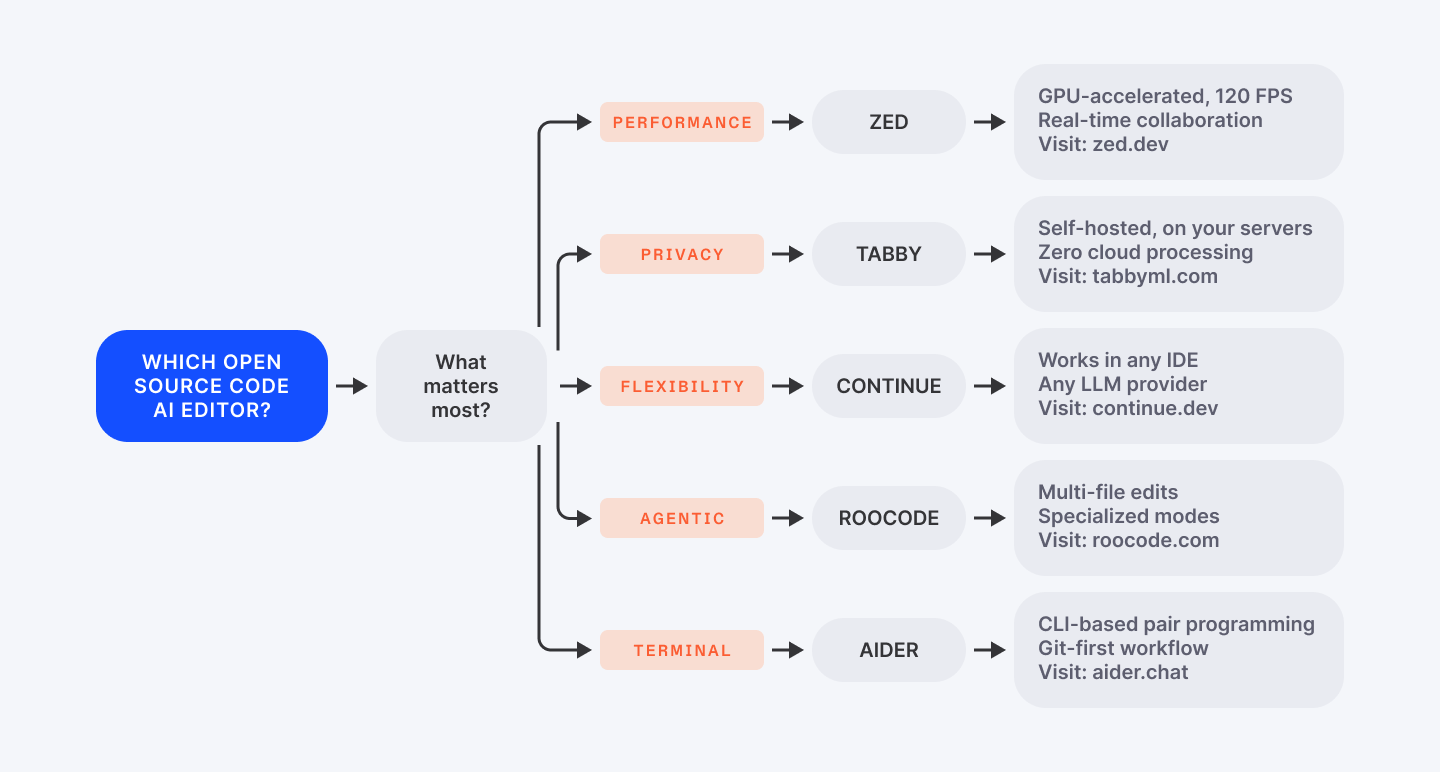
Still unsure? Read ahead. The full descriptions below show you real-world trade-offs.
Why Open Source AI Editors Matter
The Vendor Lock-In Trap
Proprietary tools feel smooth because vendors control everything end-to-end. But that control comes with costs. Your code goes to their servers. You're locked into their models.
Pricing creeps up annually. You can't customize behavior beyond what they permit. You're renting intelligence, not owning it.
Open source flips this. You control the models. You control deployment. You control integrations. This transparency matters for teams handling proprietary code, regulated industries, or firms that simply prefer autonomy.
Real-World Adoption Proves It Works
The adoption proves it works. Continue.dev has 26,000+ GitHub stars and active enterprise use.
Zed shipped a full-featured debugger in one quarter. Roo Code hit 1 million users by prioritizing developer workflows over metrics.
These aren't passion projects—they're production tools used by real teams.
The Market Shift
The market confirms the shift: AI code tools grow 23.2% annually through 2032. Developers are voting.
Open source is capturing momentum because these tools deliver control without sacrificing quality.
Read next: Explore 25 essential tools that make coding faster and more efficient.
1. Continue.dev
Continue.dev works everywhere. It lives inside your existing IDE. VS Code. JetBrains. Neovim. It's the tool that never forces a workflow on you.
Install it, configure your AI provider of choice, start coding. Friction is minimal.
The superpower is flexibility. GitHub Copilot forces you to use their models through their servers. Continue lets you plug in any LLM—OpenAI, Claude, Mistral, or self-hosted Llama running on your machine via Ollama.
For teams with sensitive code (healthcare, fintech, defense), this is critical. Send proprietary logic to OpenAI? No thanks.
Spin up a local LLM and Continue runs offline. Your data never leaves your server. DevOps teams especially love this—they audit the code, configure it once, and everyone on the team gets the same AI behavior.
Real-world adoption shows why: Agencies use Continue to process client code on-premises. Solo developers appreciate the cost—it's free. You only pay for LLM API calls you choose. Even paying $0.10 per 1K tokens to OpenAI beats a $21/month flat rate when you're not using it heavily.
The chat interface mirrors VS Code's native design, so there's no learning cliff. Inline autocomplete respects your existing IDE shortcuts. Multi-file context means Continue understands your entire project structure, not just the current file. Configuration happens via JSON files, shareable across teams—everyone gets consistent AI behavior without fiddling individually.
The friction point: setup requires model selection and API key management. If you're used to "install and forget" tools, you'll spend 20 minutes configuring. But that's the trade-off for adaptability. Once set up, it's rock-solid.
GitHub: 26K+ GitHub stars
License: Apache 2.0
Best for: Teams needing model flexibility and on-premises deployment. Design agencies. Healthcare/regulated industries.
2. Zed
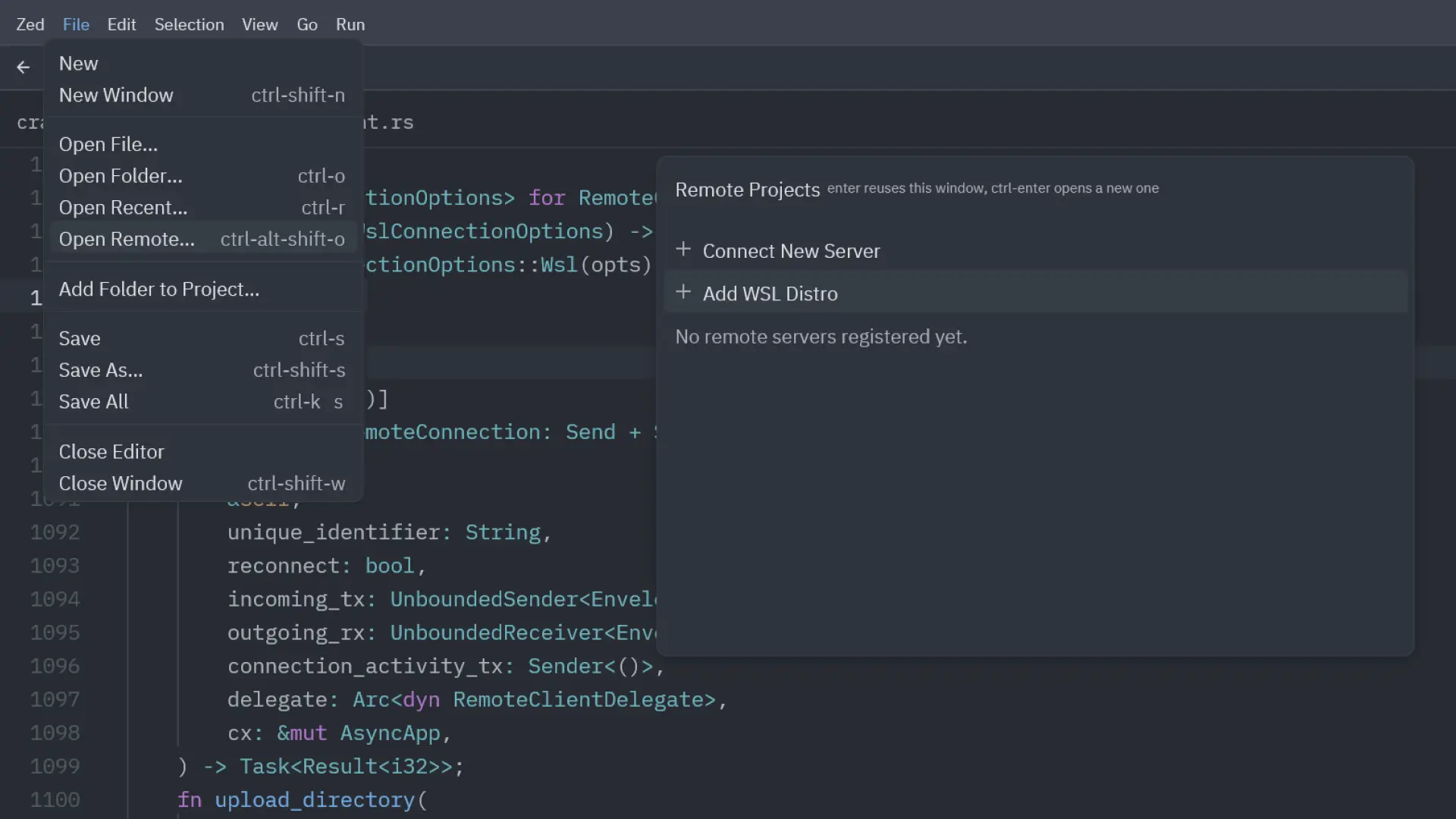
Most popular editors run on Electron. Electron is slow. Built in Rust with its own GPU rendering framework, Zed targets this exact friction point: latency.
Type a search and wait. Jump files and lag. Autocomplete and stutter. These millisecond delays add up across a workday. Zed targets 120 FPS rendering—search completes in milliseconds, not seconds. File jumps feel instant.
For developers spending 8+ hours daily in their editor, this performance difference is noticeable. Not flashy. Noticeable.
AI integration comes through agentic editing. Describe a change in English—"refactor this to use a decorator pattern"—Zed proposes diffs across multiple files. You approve or iterate.
It's real multi-file editing, not just suggestions. Zed understands file relationships and suggests edits coherently across your codebase, similar to Cursor but with Zed's performance advantage.
Zeta, Zed's built-in model, runs locally. Free tier gives you 2,000 predictions monthly.
For production workflows, add API keys for Claude or Gemini. Or run everything locally via Ollama. Windows support arrived in late 2025 (nightly builds), ending Zed's macOS monopoly.
Collaboration features separate Zed from competitors: real-time multiplayer editing, CRDT cursors that don't fight, voice chat built-in, no screen-sharing lag.
Most teams don't use these. Teams that do (pair programming, live demos, distributed engineering) find Zed's implementation polished and genuinely collaborative. Distributed teams should prioritize candidates experienced with Zed's collaboration features.
Tradeoff: Zed's extension ecosystem is smaller than VS Code. If your workflow depends on a specific VS Code extension, you might not find it in Zed yet. Also, Zed's UI is opinionated—customization isn't VS Code-level extensive. If you love tweaking every UI element, stick with VS Code.
License: GPL (editor) + Apache 2.0 (GPUI framework)
Pricing: Free (beta), Pro at $8/month for 500 AI prompts
Best for: Performance-obsessed developers. Distributed teams doing pair programming. Developers who find VS Code sluggish.
3. Roo Code
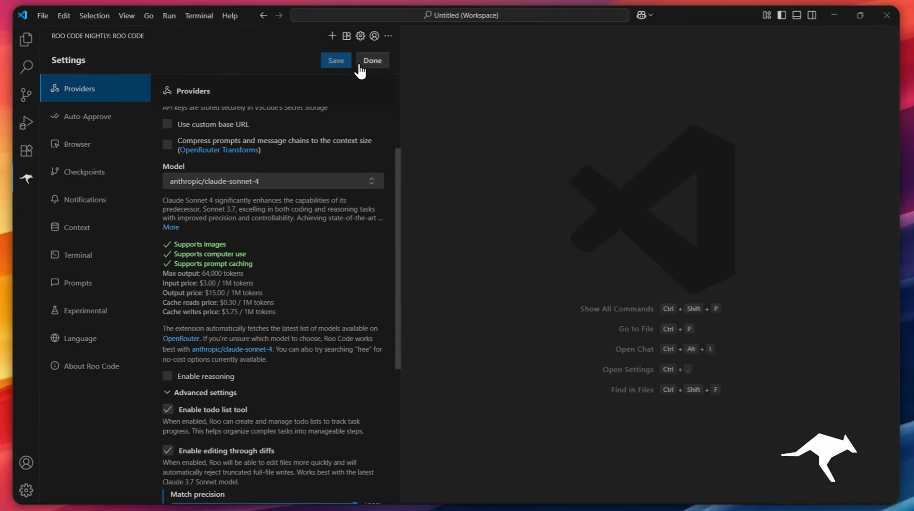
Roo Code launched in 2025 and hit 1 million users by solving a specific problem exceptionally well: multi-file, context-aware edits that respect your codebase structure.
Unlike autocomplete tools that suggest single lines, Roo Code operates in specialized modes.
Tell it to architect changes before implementing. Then code them. Debug failing tests. Ask questions about your codebase. Create custom modes for your workflow.
This agentic approach scales beyond chat interfaces. Tell Roo Code "refactor this API to use a decorator pattern" and it plans the refactoring, identifies all affected files, makes edits coherently, auto-commits with clear messages, then asks for approval at each step. You can let it run autonomously as you build confidence.
Privacy-first design means code stays local unless you authorize external API calls. No telemetry. No code stored on Roo's servers. Full transparency on what leaves your machine. This resonates with regulated industries and teams handling secrets.
Model flexibility matches Continue's approach—bring OpenAI, Anthropic, local models, or AWS Bedrock. Different modes can use different models. Cost control at your fingertips. Run expensive GPT-4 for architecture decisions. Use fast Claude Sonnet for routine edits.
The learning curve is steeper than simpler autocomplete tools. Roo Code's power comes from adaptability, which requires understanding modes, configuration, and when to approve vs. auto-approve.
Beginners feel overwhelmed. Experienced developers treating Roo Code as a junior dev on their team report massive productivity gains.
License: MIT
Pricing: Completely free
Best for: Complex refactoring. Multi-file edits. Developers who want agentic AI with granular control.
Check out other 15 open-source tools every developer should have in their toolkit.
4. Tabby
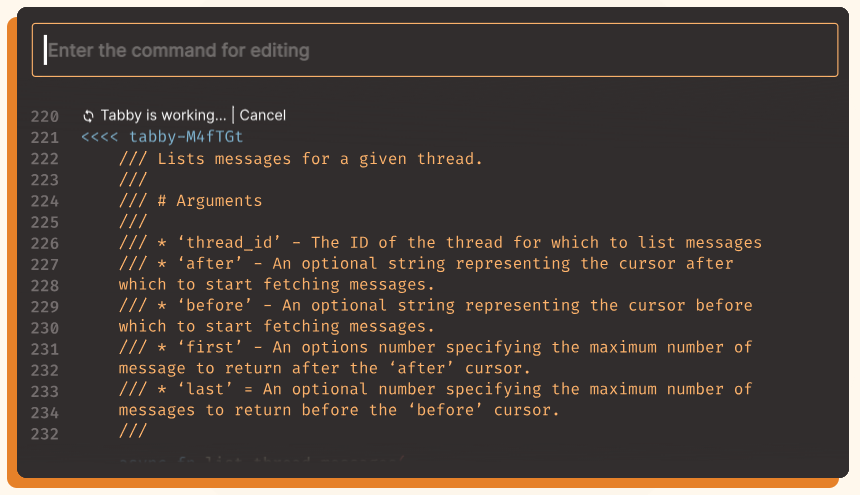
Tabby solves one problem cleanly: "I want Copilot's code completion. Everything runs on my hardware."
Deploy Tabby on your own server. Point it at your repositories. The AI runs locally. IDE plugins connect to your Tabby instance. Done. Zero cloud processing. Zero data leaving your network.
The model supports Python, JavaScript, Rust, Go and other languages. Context providers (Tabby's term for integration hooks) pull documentation, config files, related code to enrich suggestions. If your team maintains a specific coding style, Tabby learns it from your repositories.
Enterprises love this. Financial services firms use Tabby to maintain code confidentiality. Defense contractors avoid compliance headaches. Solo developers use it because they like owning their infrastructure.
Tradeoff: Tabby's feature set is narrower than competitors. It's primarily code completion, not a full IDE extension with chat, refactoring, or debugging. If you need comprehensive AI-assisted development, Tabby covers part of the workflow, not all.
Setup requires Docker knowledge or manual server deployment. Documentation is solid but assumes DevOps comfort. Once running, IDE integration is straightforward (VS Code, JetBrains plugins available).
License: Open-source
Pricing: Free
Best for: Enterprise teams prioritizing on-premises deployment and code privacy. Regulated industries. Teams handling sensitive code.
5. Aider
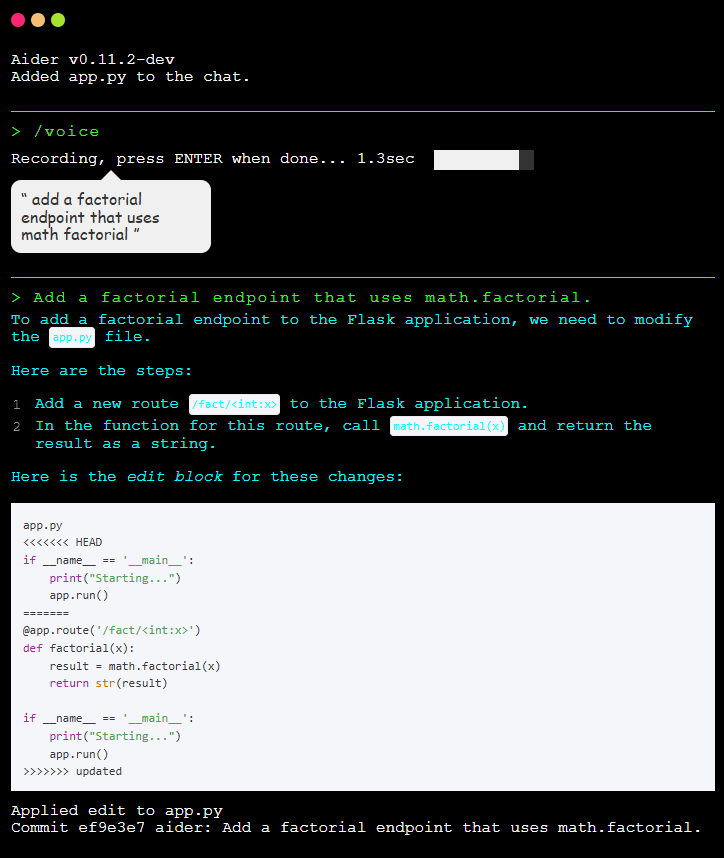
Aider runs in your terminal. No IDE. No GUI. Just shell, your LLM, and files. If you live in vim, tmux, and Git, Aider is your AI pair programmer.
Run aider <files>, describe the change, Aider edits the files and auto-commits with clear messages. Multi-file edits work seamlessly—Aider understands dependencies and makes coherent changes across your project.
Any LLM works: OpenAI API, Anthropic Claude, local Ollama, Azure OpenAI, AWS Bedrock. Aider has no vendor preference. Developers without cloud credits run Aider locally. Enterprises integrate their chosen provider.
Git integration is first-class. Every Aider edit becomes a commit. Every change is undoable via git revert. Experiment confidently. Wrong suggestion? Revert and iterate.
Use cases span feature development, bug fixing, codebase migrations. Some developers use Aider for one-off refactoring. Others integrated it into CI/CD pipelines for automated code reviews and fixes.
DevOps teams should look for CLI-native developers who've shipped with Aider. Early research shows Aider increases productivity significantly for complex multi-file changes.
Limitation: if you're not CLI-native, Aider feels foreign. IDE users might find switching between terminal and editor disruptive. But terminal-first developers call it their most productive AI tool by a wide margin.
License: Apache 2.0
Pricing: Free (you pay for LLM APIs)
Best for: Terminal-native developers. DevOps professionals. CI/CD automation. Infrastructure engineers. Developers doing multi-file refactoring in production.
6. VS Code
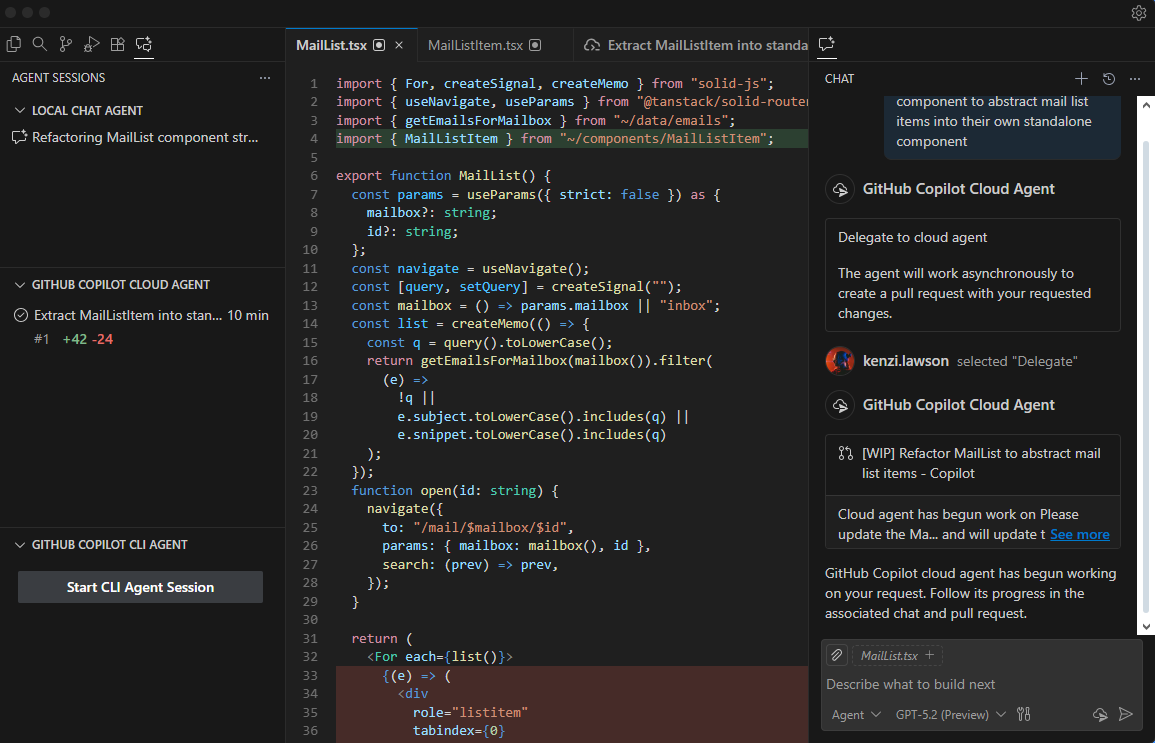
GitHub Copilot Chat is now open-source under the MIT license (June 2025). This is significant.
Previously, developers using Copilot accepted a black box. How are prompts engineered? What context goes to OpenAI? How are suggestions ranked?
Open-sourcing removes that mystery entirely. You can now see the exact prompt engineering, understand how suggestions are ranked, and contribute improvements.
The extension works in VS Code and recently added inline ghost-text suggestions (also open-source as of November 2025). Chat-based interaction plus real-time autocomplete within the same open-source codebase.
Security teams can audit before deployment. Researchers can study LLM integration into development workflows. Teams can fork and customize. Community contributions accelerate improvement beyond what Microsoft could achieve solo.
However, you still need a GitHub Copilot subscription ($10-21/month) to use the LLM. The extension code is open; the model access requires payment. For budget-conscious teams, this remains a cost factor.
License: MIT
Pricing: Free extension, $10-21/month subscription for Copilot API
Best for: VS Code users wanting transparency and the ability to audit AI implementations. Security-conscious teams. Organizations requiring code audits.
7. Void IDE and PearAI
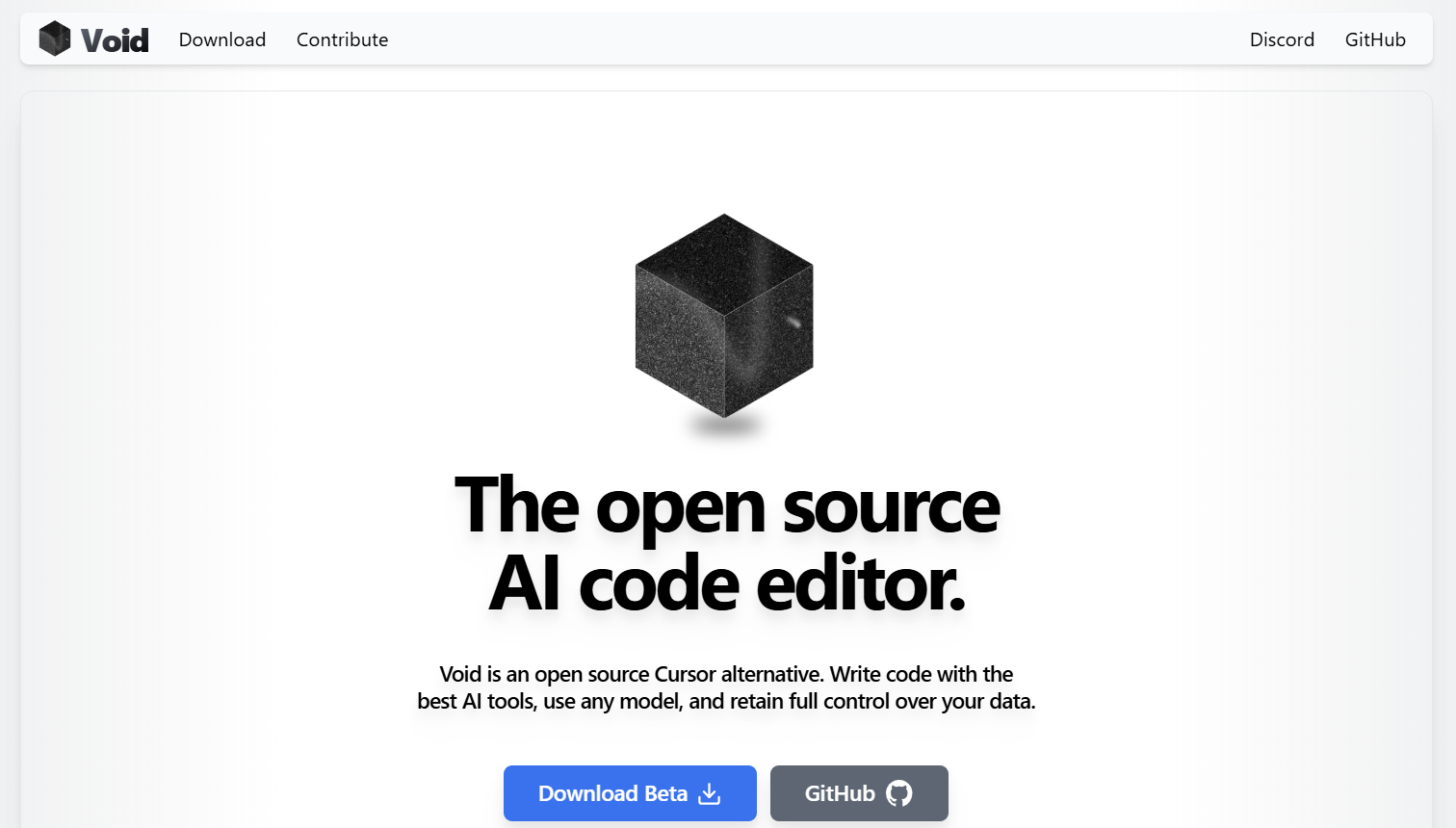
Void IDE and PearAI fork VS Code and add privacy-first AI features. Philosophy: keep everything local unless you explicitly send data elsewhere.
Void emphasizes client-side processing. Run local models via Ollama. Connect to your chosen LLM provider. Edit with full control over what leaves your machine. Configuration is transparent—JSON files, not hidden UI toggles.
PearAI curates open-source AI tools into one cohesive editor. Less minimalist than Void, more beginner-friendly. Setup guides walk you through everything. Community is active.
Both are younger projects than Continue or Zed. Feature completeness lags. But if privacy and simplicity matter more than cutting-edge performance, they're solid choices.
Licenses: Void (MIT), PearAI (varies)
Pricing: Free
Best for: Privacy advocates. Teams avoiding proprietary AI services. Developers prioritizing data ownership.
Up next: Discover 20 open-source GitHub projects that can boost your skills and visibility.
Implementation: Getting Started
Pick one tool. Run it for a week.
Switching costs are minimal. Extensions install in minutes. Test on small tasks first—code reviews, documentation, refactoring—before trusting it with critical paths. Let your team get comfortable. Watch productivity shift.
Join the communities. GitHub discussions, Discord servers, Reddit threads. These projects thrive on contributor feedback. Share what works. Report what breaks. Help shape tools that respect developers.
The Bigger Picture: Teams Who Know These Tools
Here's what matters when you're evaluating your next role: teams that standardize on open source AI editors are teams that respect developer autonomy and transparency. When you interview with companies, ask them: Are you using open source tools? Can I audit the code? Do I control my AI provider choice?
Engineers fluent in Continue, Zed, or Roo Code bring authentic experience with transparent workflows. They ask better questions of their tools. They iterate faster. They think critically about vendor lock-in.
Looking to deepen your AI development expertise? Explore Index.dev's coding challenges and technical interview guides for languages and frameworks you're using.
Final Take
Open source AI code editors aren't "good enough" alternatives to Copilot. They're better in ways that matter: control, transparency, cost, flexibility. 2025 makes that choice genuinely accessible for the first time.
The transition from proprietary to open source isn't about choosing the "best"—it's about choosing tools that amplify your specific workflow while respecting your data and autonomy. If that resonates, one of these seven editors fits your team exactly.
Pick one. Try it this week. Your next sprint might be faster than you think.
➡︎ Looking for your next role? Join Index.dev to find teams that prioritize the exact tech stack and tooling philosophy you care about.
➡︎ Want to explore more real-world AI performance insights and tools? Dive into our expert reviews — from Kombai for frontend development and ChatGPT vs Claude comparison, to top Chinese LLMs, vibe coding tools, and AI tools that strengthen developer workflow like deep research, and code documentation. Stay ahead of what’s shaping developer productivity in 2025.