When you are working on Python projects, especially those that use the src directory structure, it is common to face issues where pytest cannot find resources or modules that your tests depend on. These errors can be confusing and frustrating, especially if you are new to Python testing or the src layout. In this article, I will explain the reasons behind these errors and provide detailed solutions with examples. By the end of this guide, you should be able to resolve these issues and make your pytest run without problems.
Join Index.dev to work on impactful Python projects in the US, UK, and EU.
What is the src Layout?
The src layout is a common project structure where all the Python code is placed inside a directory called src. This layout is popular because it helps prevent issues related to imports and makes your code more organized. Here is how a typical project using the src layout might look:
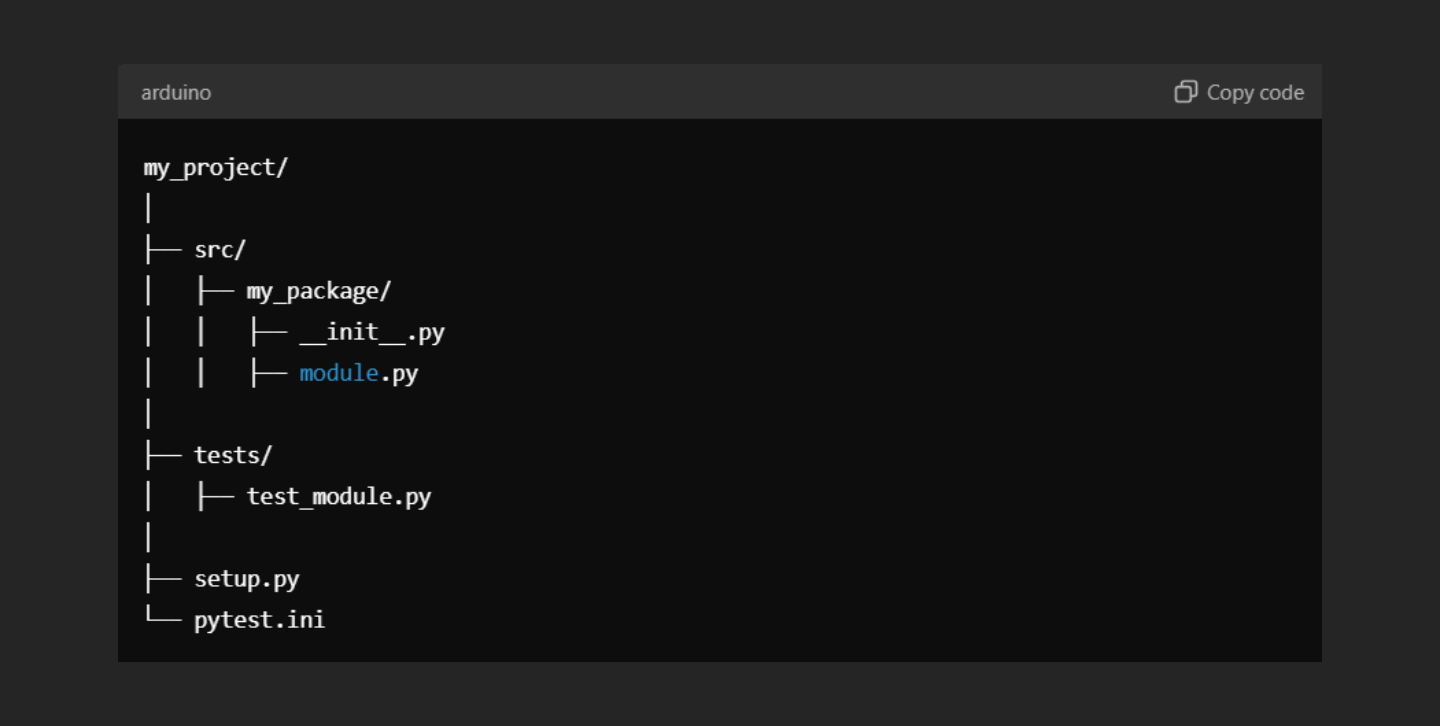
In this layout, all the Python packages and modules are inside the src directory, and the tests are in a separate tests directory.
Common Reasons for Pytest 'Cannot Find Resource' Errors
- Incorrect Import Statements:
- When you are using the src layout, it is important to write the correct import statements in your test files. If you do not, pytest may not be able to find the modules you want to test.
- For example, if you write import module in your test file, pytest may not find module.py. The correct way is to use from my_package import module.
- PYTHONPATH Not Set Correctly:
- The PYTHONPATH is an environment variable that tells Python where to look for modules and packages. If this is not set correctly, pytest may not be able to find the src directory and the modules inside it.
- You need to make sure that PYTHONPATH includes the src directory.
- Missing __init__.py Files:
- In Python, the __init__.py file is used to mark a directory as a package. If this file is missing, Python may not recognize the directory as a package, leading to pytest errors.
- Incorrect pytest Configuration:
- Pytest uses configuration files like pytest.ini or tox.ini to know how to run the tests. If these files are not configured properly, pytest may not find the source code.
Solutions to Fix Pytest 'Cannot Find Resource' Errors
1. Fixing Import Paths
The first thing you should check is whether the import statements in your test files are correct. For example, if your test file test_module.py is inside the tests directory, and you want to test a module from my_package, the import should be:
# Correct Import
from my_package import module
If you write just import module, pytest will not be able to find it because module.py is inside the my_package directory.
2. Setting the PYTHONPATH
To make sure pytest can find your src directory, you can set the PYTHONPATH environment variable. You can do this temporarily in your terminal before running pytest:
export PYTHONPATH=$PYTHONPATH:$(pwd)/src
pytest
This command adds the src directory to the PYTHONPATH. If you want to set it permanently for your project, you can add it to the pytest.ini file:
ini
# pytest.ini
[pytest]
pythonpath = src
3. Adding __init__.py Files
Make sure that every directory in your project has an __init__.py file, even if it is empty. This file tells Python to treat the directory as a package. Without it, you might see errors like ModuleNotFoundError.
You can create an empty __init__.py file in any directory by running this command:
touch src/my_package/__init__.py
4. Configuring pytest to Find the src Directory
Sometimes, even after setting the PYTHONPATH, pytest may still have trouble finding your source code. In this case, you can add a conftest.py file in your tests directory to manually add the src directory to the system path:
# conftest.py
import sys
import os

sys.path.insert(0, os.path.abspath(os.path.join(os.path.dirname(__file__), '../src')))
This code snippet adds the src directory to the start of the system path, so pytest will search there first when looking for modules.
Alternatively, you can add this configuration to the pytest.ini file:
# pytest.ini
[pytest]
testpaths = tests
python_files = test_*.py
python_classes = Test
python_functions = test_
Example: Fixing a Real Pytest Error
Let’s consider an example where you have a project with the following structure:
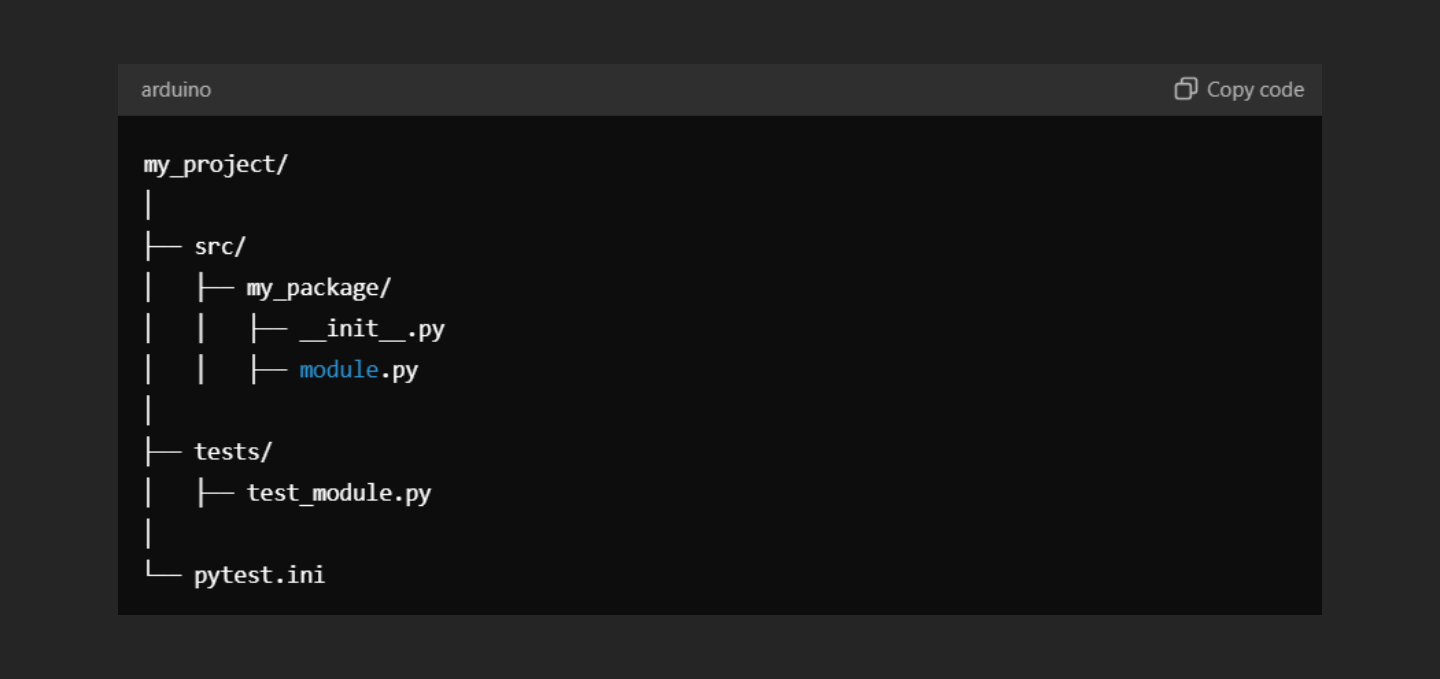
In test_module.py, you have the following code:
import module

def test_function():
    assert module.some_function() == 1
If you run pytest now, you will get an error saying that pytest cannot find the module module.py. To fix this:
- Correct the Import:
- Change import module to from my_package import module.
- Set the PYTHONPATH:
- Run export PYTHONPATH=$PYTHONPATH:$(pwd)/src before running pytest.
- Check for __init__.py:
- Ensure that src/my_package/__init__.py exists.
- Configure pytest:
- Make sure your pytest.ini is properly configured.
After these changes, pytest should run successfully without any errors.
Read Also: How to Set or Modify a Variable After It’s Defined in Python
Conclusion
Resolving pytest 'Cannot Find Resource' errors in a src directory setup requires careful attention to details like import paths, environment variables, and configuration files. By following the steps in this guide, you can fix these errors and run your tests smoothly. Remember to always check your project structure, import statements, and configuration files when you encounter these issues.
For Developers:
Join Index.dev, the remote work platform connecting senior Python developers with remote tech companies. Begin working remotely on innovative projects across the US, UK, and EU!
For Employers:
Ready to upgrade Python projects? Hire Index.dev's skilled Python developers to bring your ideas to life precisely and efficiently.